The Amazon Firestick is the most popular way to watch IPTV in Canada — it’s cheap, tiny, and plugs into any TV’s HDMI port. With over 90% of Canadians now streaming video (Statista, 2025), the Firestick has become the default entry point to internet TV. Setting up IPTV on it takes only a few minutes, and once it’s done, you’ve turned an ordinary television into a full streaming hub.
The one wrinkle is that IPTV players usually come from outside the Amazon store, so there’s a short sideloading step the first time. It sounds technical but takes about a minute. This guide walks through installing IPTV on a Firestick step by step, picking the right player app, choosing the right Firestick model, fixing common issues, and pairing it all with OBO TV for 70,000+ channels in 2026.
Key Takeaways
The Firestick is the most popular IPTV device in Canada — affordable and easy to set up.
Setup takes about five minutes: enable app installs, add a player, and sign in.
For 4K, use a Firestick 4K or 4K Max for the smoothest playback.
OBO TV loads into any Firestick player and includes 70,000+ channels from $10/month.
Firestick IPTV: install and watch 70,000+ channels in 4K with OBO TV.
Why Is the Firestick So Popular for IPTV?
The Firestick hits a sweet spot: it’s inexpensive, portable, and runs every major IPTV player app. Since streaming is now the default for 90% of Canadians (Statista, 2025), most people already know the interface. Plug it into any TV — at home or travelling — and you’ve got IPTV in minutes, without touching your existing cable box.
Portability is underrated. Because the Firestick is the size of a USB stick, you can slip it into a bag and take your full IPTV setup to a cottage, a hotel, or a relative’s house — anywhere with a TV and Wi-Fi. That flexibility is a big reason it’s become the default IPTV device.
In our experience, the Firestick 4K Max is the best value for IPTV. The base Firestick works fine for HD, but the extra processing power on the 4K Max noticeably reduces buffering on high-bitrate channels and busy EPG guides — it’s worth the small price difference for daily use.
Source: Statista & eMarketer, Streaming in Canada (2025)
How Do You Install IPTV on a Firestick?
Installing IPTV on a Firestick is quick. Because IPTV players often come from outside the Amazon store, you first allow app installs, then add your player. Follow these steps and you’ll be watching in about five minutes:
Go to Settings > My Fire TV > Developer Options and turn on “Install unknown apps” for the Downloader app.
Install the free Downloader app from the Amazon Appstore.
Use Downloader to install your IPTV player (such as IPTV Smarters Pro or TiviMate).
Open the player and enter the OBO TV login details we send you.
Let the channel list load, and start watching.
Full instructions live on our setup guide, and our dedicated IPTV for Firestick page has more detail with screenshots.
Which Firestick Model Should You Buy?
Any Firestick runs IPTV, but the model affects how smooth 4K feels. The basic Firestick HD is fine for standard and HD channels on a budget. The Firestick 4K handles 4K comfortably, and the 4K Max adds extra speed and better Wi-Fi that pays off with large channel lists and high-bitrate streams.
If you plan to watch 4K sports or use the EPG heavily, the 4K Max is the safe pick. For a bedroom TV or occasional viewing, the standard 4K model is plenty. Either way, connect it over strong Wi-Fi or, if the port is available, an ethernet adapter for the steadiest picture.
Which Player App Is Best for Firestick?
TiviMate is widely considered the best player for Firestick thanks to its polished guide and responsive interface, while IPTV Smarters Pro is a simpler all-rounder that’s easier for first-timers. Both run smoothly and work with OBO TV, so the choice comes down to whether you want maximum polish or maximum simplicity.
Many users start with Smarters Pro and move to TiviMate once they’re comfortable. For a full comparison of free options, see our guide to the best free IPTV player.
Fixing Common Firestick IPTV Problems
Most Firestick issues are quick to solve and usually relate to the device or connection, not the service. Run through these before assuming anything’s wrong:
Buffering — move the Firestick closer to the router or use an ethernet adapter; restart it.
App runs slowly — clear the app cache, or restart the Firestick to free memory.
Player won’t install — re-check that “Install unknown apps” is enabled for Downloader.
Pair Your Firestick with OBO TV
Your Firestick needs a strong service behind it. OBO TV loads into any Firestick player and includes:
70,000+ channels and 30,000+ movies and shows.
AntiFreeze technology for buffer-free streaming.
4K, FHD, and HD picture quality.
Instant activation and 24/7 support, from $10/month.
OBO TV works smoothly on Firestick with 70,000+ channels from $10/month. Pair it with TiviMate or IPTV Smarters Pro, and use a Firestick 4K or 4K Max for the best high-bitrate performance.
Does IPTV work on all Firestick models?
Yes. IPTV runs on every Firestick model, from the basic stick to the 4K Max. For 4K channels and the smoothest guide, the 4K or 4K Max is recommended thanks to the extra processing power.
How do I install IPTV on Firestick?
Enable “Install unknown apps” in Developer Options, install the Downloader app, use it to add an IPTV player like TiviMate, then sign in with your OBO TV login. The whole process takes about five minutes.
Why does my Firestick IPTV keep buffering?
Usually it’s Wi-Fi or an older model. Move the Firestick closer to the router or add an ethernet adapter, restart it to free memory, and consider a 4K Max for high-bitrate channels. Confirm you have 25 Mbps or more for 4K.
Do I need a subscription for IPTV on Firestick?
Yes. The Firestick and player app provide the interface, but channels come from an IPTV subscription. OBO TV supplies the 70,000+ channels and 30,000-title library from $10/month, loaded into your Firestick player.
Start IPTV on Your Firestick with OBO TV
The Firestick makes IPTV setup fast and cheap — and OBO TV gives it 70,000+ channels, real 4K, and 24/7 support from $10/month. Pick a plan on the pricing page, then follow the setup guide or ask us through contact.
The question “is IPTV legal in Canada?” comes up constantly, and the short answer is yes — IPTV is a legal streaming technology. The nuance is about content licensing, not the technology itself. With nearly 30% of Canadians changing or cancelling cable in 2024 (CRTC, 2025), millions are using internet TV legally every day, on the same kind of technology that powers the biggest streaming apps in the world.
Confusion usually comes from mixing up two separate things: the technology and the content. This guide separates them clearly. We’ll explain what’s legal, what isn’t, whether you can get in trouble for watching, whether a VPN is needed, and how to pick a provider you can trust — plus how OBO TV fits into a clean, straightforward setup for 2026.
Key Takeaways
IPTV is a legal streaming technology in Canada — the law concerns content licensing, not the tech.
Watching IPTV is legal; the responsibility for licensing sits with providers.
Online streaming now makes up 36% of Canada’s broadcasting revenue (CRTC, 2025).
Choose a reputable provider with transparent pricing and a clear refund policy.
Is IPTV legal in Canada? Yes – legal streaming with OBO TV.
Is IPTV Legal in Canada?
Yes. IPTV — Internet Protocol Television — is simply a method of delivering TV over the internet, and it’s fully legal in Canada. The same technology powers major streaming apps millions use daily. In fact, online services now account for 36% of Canada’s total broadcasting revenue, more than any single traditional sector (CRTC, 2025). The legal question is only ever about whether the content being streamed is properly licensed.
A useful way to think about it: IPTV is like a web browser. The browser is legal; what you do with it determines the rest. The technology is neutral — reputable providers license their content, and that’s what keeps everything above board. Judging IPTV itself as “illegal” is like calling the internet illegal because some websites break the rules.
Source: CRTC, Annual Highlights of the Broadcasting Sector 2023–2024 (2025)
Is It Legal to Watch IPTV in Canada?
Yes — as a viewer, using an IPTV app and subscription is legal. Canadian law places the responsibility for licensing content on the provider, not the individual watching. That’s why choosing a reputable, transparent provider matters so much: it’s the practical way to make sure the service you’re using operates properly.
The everyday experience is no different from any streaming app — you open the player, pick a channel, and watch. For more detail on the rules and how they apply, see our guide on whether IPTV is allowed in Canada.
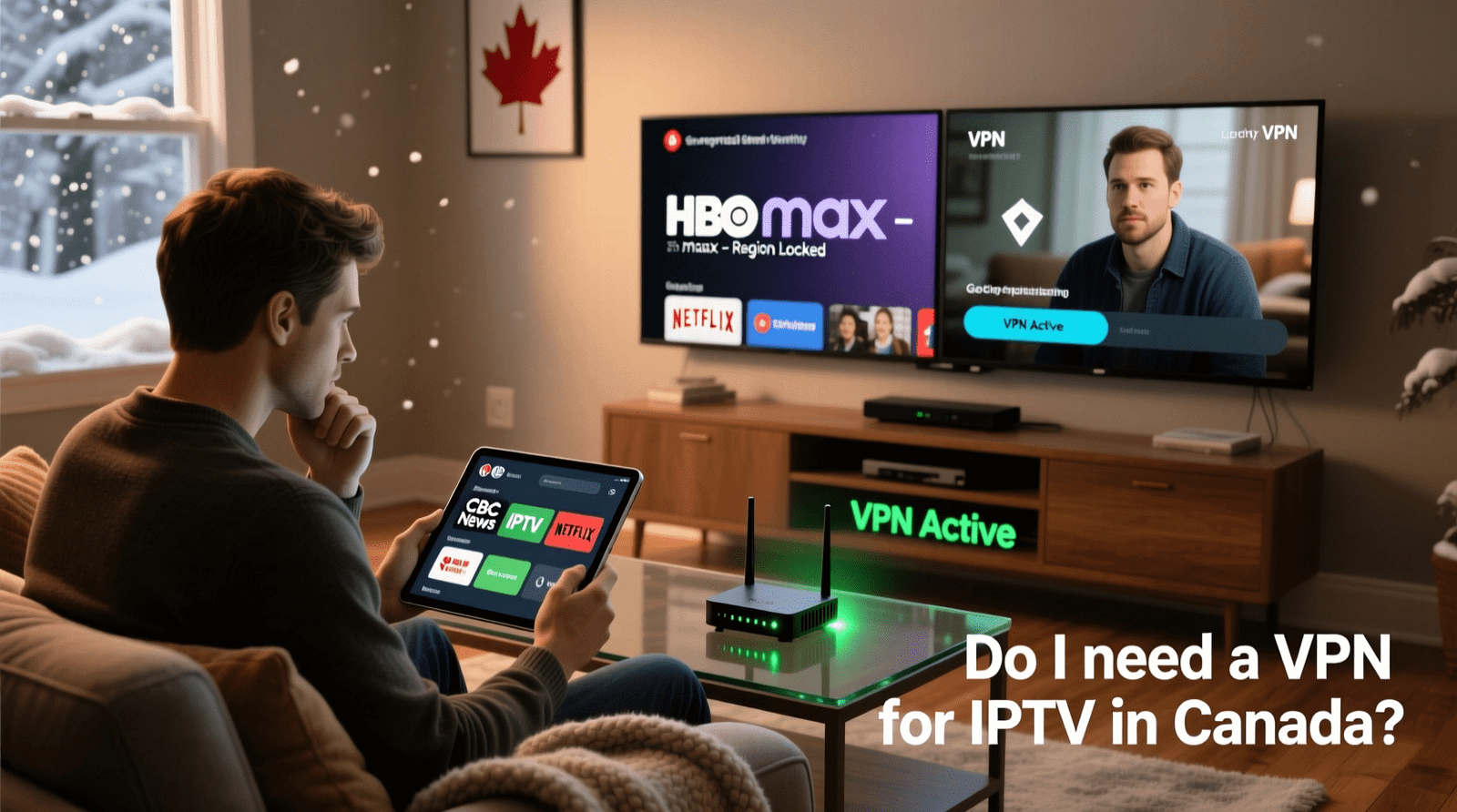
Do You Need a VPN for IPTV in Canada?
No — a VPN isn’t required to use a legitimate IPTV service. Some people add one for general online privacy, the same way they might on any internet activity, but it’s entirely optional and doesn’t change the legality of watching. A VPN can occasionally help with connection routing, though it can also slow streams if the server is far away.
In short, treat a VPN as a personal preference, not a requirement. Most OBO TV subscribers stream without one and get a fast, stable picture.
Is IPTV Being Shut Down in Canada?
No — IPTV as a technology isn’t going anywhere; it’s the future of TV delivery. Enforcement actions occasionally target specific unlicensed operations, but they don’t affect the technology or the viewers who use legitimate services. Legitimate IPTV keeps growing alongside mainstream streaming, and the CRTC’s own figures show online services taking a larger share of the market every year.
Our guide on whether IPTV is shut down in Canada covers the headlines and what they actually mean for everyday viewers.
How to Choose a Trustworthy IPTV Provider
The safest approach is picking a provider that’s transparent about pricing, support, and policies. Openness is the clearest signal that a service is run properly and plans to stick around. Look for these signs before you subscribe:
A stable service — consistent streaming, not too-good-to-be-true claims.
OBO TV ticks every box: 70,000+ channels, AntiFreeze technology, 4K quality, instant activation, and 24/7 support from $10/month. See the pricing page.
How Does Content Licensing Actually Work?
The legal picture makes more sense once you understand licensing. Channels and studios own the rights to their content and license it to distributors — cable companies, streaming apps, and IPTV providers alike. A provider that holds the right agreements is operating properly; the technology delivering those channels is identical either way. This is why the law focuses on the provider’s licensing rather than the viewer’s choice of technology.
For you as a subscriber, the practical takeaway is simple: choose a provider that behaves like a legitimate business. Transparent pricing, a published refund policy, and responsive support are the outward signs of a service that takes its operations seriously. Those signals matter far more than any single claim on a homepage.
Is Your Data Safe with IPTV?
Privacy is a fair question with any online service. A reputable IPTV provider collects only what it needs to run your account — typically an email and payment details handled through standard, secure checkout. It’s sensible to use a strong, unique password and to buy only from providers with clear contact information and policies, exactly as you would with any subscription.
Beyond that, IPTV doesn’t require you to expose anything unusual. You don’t need to hand over more than a trial or subscription genuinely calls for, and you should be wary of any service that asks for it. Stick to established providers with published policies, and your IPTV setup is no riskier than the streaming apps you already use.
Frequently Asked Questions
Is IPTV legal in Canada?
Yes. IPTV is a legal streaming technology in Canada. The law concerns whether content is properly licensed, which is the provider’s responsibility. Online streaming now makes up 36% of Canada’s broadcasting revenue (CRTC, 2025).
Can I get in trouble for watching IPTV?
As a viewer, using an IPTV app and subscription is legal in Canada. Licensing responsibility sits with the provider, which is why choosing a reputable, transparent service is the sensible approach.
Do I need a VPN for IPTV in Canada?
A VPN isn’t required to use a legitimate IPTV service. Some users add one for general privacy, but it’s optional and can even slow streams if the server is distant. Most OBO TV subscribers stream without one.
Is IPTV shutting down in Canada?
No. IPTV technology is the direction TV is heading, and legitimate services keep growing. Enforcement targets specific unlicensed operations, not the technology or the viewers who use licensed services.
How do I know an IPTV provider is legitimate?
Look for published pricing, a clear refund policy, and real 24/7 support. Transparency is the best signal. Avoid services that hide their pricing or promise impossible lifetime deals for a few dollars.
Stream Legally with OBO TV
IPTV is legal in Canada, and the smart move is choosing a transparent, reliable provider. OBO TV offers 70,000+ channels, real 4K, a clear refund policy, and 24/7 support from $10/month. Pick a plan on the pricing page, or ask us through contact.
Sources
CRTC, Annual Highlights of the Broadcasting Sector 2023–2024, retrieved 2026-07-01, crtc.gc.ca
With the rise of IPTV services in Canada, many users are now accessing a wide range of television content online. However, this shift has also raised concerns about online privacy and the security of user data.
Using a VPN for IPTVcan help mitigate these risks by encrypting internet traffic and protecting user identities. In this article, we will explore the importance of VPNs for IPTV users in Canada, discussing the benefits and main concerns associated with their use.
Key Takeaways
Understanding the role of VPNs in enhancing IPTV security
The importance of online privacy for IPTV users
How VPNs can improve the IPTV viewing experience
Legal considerations for using IPTV services in Canada
Best practices for choosing a VPN for IPTV
Understanding IPTV in the Canadian Context
The IPTV market in Canada is experiencing significant growth, driven by the increasing demand for flexible and personalized television viewing experiences. IPTV, or Internet Protocol Television, delivers television content over Internet Protocol networks, allowing for a more interactive and customizable service.
What is IPTV and How Does It Work?
IPTV uses the internet to deliver television content, unlike traditional satellite or cable formats. This method allows for video content to be streamed in real-time, enabling users to access a wide range of channels and on-demand content through their internet connection. IPTV services often include features like pause, rewind, and fast-forward, enhancing the viewing experience.
The technology behind IPTV involves encoding television content into internet protocol packets, which are then transmitted over a broadband connection to the user’s set-top box or other compatible devices.
The Current IPTV Landscape in Canada
Canada’s IPTV landscape is diverse, with various service providers offering a range of packages to suit different viewer preferences. The popularity of IPTV in Canada can be attributed to its flexibility and the ability to offer customized viewing experiences.
Popular IPTV Services Available to Canadians
Some of the popular IPTV services in Canada include major telecom companies that offer bundled services, including internet and television. These services often come with additional features like cloud DVR and multi-device viewing. Canadians can choose from a variety of providers, each offering different channel lineups and on-demand content.
Challenges Faced by Canadian IPTV Users
Despite the benefits, Canadian IPTV users face challenges such as geo-restrictions on content and ISP throttling, which can affect the quality of their viewing experience. Understanding these challenges is crucial for IPTV users to make informed decisions about their service providers and how to optimize their viewing experience.
Legal Status of IPTV Services in Canada
The legal landscape surrounding IPTV services in Canada is complex and multifaceted. IPTV, or Internet Protocol Television, has become a popular method for consuming television content, but its legal status is not straightforward.
Canadian Broadcasting Regulations
Canadian broadcasting regulations are overseen by the Canadian Radio-television and Telecommunications Commission (CRTC). The CRTC ensures that broadcasting services, including IPTV, comply with regulations regarding content, licensing, and accessibility. IPTV services must adhere to these regulations to operate legally in Canada.
The CRTC requires IPTV providers to obtain licenses and follow specific guidelines to ensure that their services are accessible to all Canadians. This includes providing closed captioning and described video for visually impaired viewers.
Grey Areas and Legal Concerns
Despite clear regulations, there are grey areas surrounding IPTV services. Some IPTV providers may offer content without proper licensing, raising concerns about copyright infringement. Users of these services may also face legal risks, although the likelihood of prosecution varies.
Recent Legal Cases Involving IPTV in Canada
Recent legal cases have highlighted the complexities of IPTV regulation in Canada. For instance, cases involving unauthorized streaming of copyrighted content have led to significant fines for IPTV service providers. These cases underscore the importance of complying with Canadian broadcasting regulations.
How Canadian Law Differs from Other Countries
Canadian law regarding IPTV differs from other countries in several key ways. For example, Canada has stricter regulations regarding copyright and content licensing compared to some countries. Understanding these differences is crucial for IPTV users who access content from multiple jurisdictions.
Why You Might Need a VPN for IPTV
As IPTV continues to grow in Canada, understanding the role of VPNs in overcoming ISP throttling and geo-restrictions is crucial. Canadians are increasingly turning to IPTV for their television needs, but this shift has brought to light several challenges that can impact the quality and accessibility of IPTV services.
ISP Throttling and Bandwidth Limitations
One of the significant issues IPTV users face is ISP throttling. This is when internet service providers intentionally slow down or block certain types of internet traffic, in this case, IPTV streaming. ISP throttling can lead to buffering, poor video quality, and an overall frustrating viewing experience.
How Canadian ISPs Monitor and Limit IPTV Traffic
Canadian ISPs monitor internet traffic to manage their networks effectively. They may use various techniques to identify and limit IPTV traffic, including deep packet inspection. This allows them to detect and throttle IPTV streams, potentially violating net neutrality principles.
Signs Your IPTV Service Is Being Throttled
If your IPTV service is being throttled, you might notice symptoms like consistent buffering, lower video quality during peak hours, or inability to access certain channels. Recognizing these signs early can help you take corrective measures, such as using a VPN.
Geo-Restrictions on Content
Another challenge IPTV users face is geo-restrictions. Many IPTV services and content providers restrict their content based on geographical locations, limiting what Canadians can access.
Canadian-Specific Content Restrictions
Some content is restricted to Canadian audiences due to licensing agreements. While this might seem beneficial, it can also limit access to certain international content that Canadians might be interested in.
Accessing International IPTV Content from Canada
A VPN can help Canadians access international IPTV content by masking their IP address and making it appear as if they are accessing the content from an allowed region. This can significantly broaden the range of content available to IPTV users in Canada.
The Best VPN for IPTV: Features to Consider
When selecting a VPN for IPTV, several key features must be considered to ensure a seamless viewing experience. A VPN that is optimized for IPTV can make a significant difference in the quality of your streaming.
Speed and Bandwidth Requirements
One of the most critical factors for a VPN used with IPTV is its ability to maintain high speeds and sufficient bandwidth. Streaming IPTV content, especially in HD or 4K, requires a stable and fast internet connection.
Minimum Speed Requirements for HD and 4K Streaming
For HD streaming, a minimum speed of 5 Mbps is recommended, while 4K streaming requires at least 25 Mbps. However, these are baseline figures, and actual requirements may vary depending on the specific IPTV service and the number of devices connected.
How to Test VPN Speed for IPTV Performance
To test your VPN’s speed, you can use online speed test tools. It’s advisable to test the speed before and after connecting to the VPN to gauge the impact on your internet connection. Look for VPNs that offer unlimited bandwidth to avoid throttling issues.
Server Locations and Network Size
The geographical distribution of a VPN’s servers and the overall size of its network are crucial for IPTV users. A VPN with a large network and strategically located servers can provide better access to geo-restricted content.
Optimal Server Locations for Canadian IPTV Users
For Canadian IPTV users, having servers located within Canada or nearby can help in reducing latency and improving streaming quality. Some VPNs also offer servers optimized for streaming, which can further enhance the IPTV experience.
Server Location
Average Ping (ms)
Streaming Quality
Canada
50
Excellent
US East Coast
70
Good
Europe
120
Fair
The Importance of Server Diversity and Redundancy
A diverse and redundant server network ensures that if one server is down or congested, you can easily switch to another. This is crucial for maintaining uninterrupted IPTV streaming. A VPN with a large server network is more likely to provide a stable connection.
As noted by a VPN expert, “A robust server network is the backbone of a reliable VPN service, especially for applications like IPTV that require consistent and high-quality connections.”
“The best VPNs for IPTV are those that balance speed, security, and server availability. It’s not just about unblocking content; it’s about delivering a superior streaming experience.”
— VPN Industry Expert
Privacy and Security Benefits of Using a VPN
IPTV users in Canada can significantly enhance their online privacy and security by using a VPN. A VPN provides a secure and encrypted connection, protecting users from various online threats.
Protecting Your Viewing Habits from ISPs
One of the primary benefits of using a VPN for IPTV is that it shields your viewing habits from your Internet Service Provider (ISP). Without a VPN, ISPs can monitor and log your online activities, including the content you stream. This information can be used to throttle your internet speed or even sold to third-party advertisers. By encrypting your internet traffic, a VPN ensures that your ISP cannot see what you’re watching.
Encryption and Data Protection
Encryption is a critical feature of VPNs that ensures your data remains secure. VPNs use various encryption protocols to protect your data.
Understanding VPN Encryption Protocols
Common encryption protocols include OpenVPN, WireGuard, and IPSec. Each protocol has its strengths and weaknesses, with some offering better security and others providing faster speeds.
No-Logs Policies and Why They Matter
A no-logs policy is another crucial aspect of a VPN service. It means that the VPN provider does not collect or store any information about your online activities. This policy is essential for maintaining user privacy, as it ensures that even if the VPN provider is compelled to share user data, they will have nothing to share.
Encryption Protocol
Security Level
Speed
OpenVPN
High
Medium
WireGuard
High
Fast
IPSec
Medium
Slow
Potential Drawbacks of Using VPNs with IPTV
While VPNs offer numerous benefits for IPTV users in Canada, there are also some potential drawbacks to consider. As with any technology, the use of VPNs with IPTV is not without its challenges.
Speed Reduction Considerations
One of the primary concerns when using a VPN with IPTV is the potential reduction in internet speed. VPNs can sometimes cause a decrease in bandwidth due to the encryption process and the routing of your internet traffic through a VPN server. This can lead to buffering or lower video quality. To mitigate this, it’s essential to choose a VPN provider with a strong network infrastructure and servers optimized for streaming.
VPN Detection by Content Providers
Another significant consideration is the risk of VPN detection by content providers. Some streaming services actively work to block VPN traffic to enforce geo-restrictions.
How Streaming Services Detect VPN Usage
Streaming services use various methods to detect VPN usage, including monitoring IP addresses known to belong to VPN providers and analyzing traffic patterns. They may also use advanced technologies like machine learning to identify VPN traffic.
Strategies to Avoid VPN Blocks
To avoid being blocked, users can employ several strategies. These include switching to a different VPN server, using obfuscated servers that disguise VPN traffic, or opting for a VPN provider that regularly updates its IP addresses to stay ahead of detection.
Strategy
Description
Effectiveness
Server Switching
Switching to a different VPN server can help avoid detection.
High
Obfuscated Servers
Using servers that disguise VPN traffic as regular internet traffic.
Medium-High
IP Address Updates
VPN providers updating their IP addresses regularly.
High
By understanding these potential drawbacks and taking steps to mitigate them, Canadian IPTV users can enjoy a more secure and unrestricted viewing experience.
Top VPN Recommendations for Canadian IPTV Users
The best VPN for IPTV in Canada can significantly enhance your streaming experience. With numerous options available, it’s essential to choose a VPN that meets your specific needs.
Premium VPN Options for Optimal IPTV Performance
Premium VPNs offer superior performance and features that are ideal for IPTV streaming. These VPNs typically have a large network of servers, high-speed connections, and robust security features.
VPNs with Canadian Servers and Strong Streaming Support
For Canadian IPTV users, having a VPN with servers located within Canada is beneficial. It ensures low latency and better connection speeds. Some top premium VPNs with Canadian servers include:
ExpressVPN
NordVPN
Surfshark
Pricing and Value Comparison
While premium VPNs come at a cost, they offer significant value through their performance and features. Here’s a comparison of the pricing for some top premium VPNs:
VPN Provider
Monthly Price
Annual Price
ExpressVPN
$12.95
$99.95 (8.33 monthly)
NordVPN
$11.95
$71.88 (5.99 monthly)
Surfshark
$12.95
$59.76 (4.98 monthly)
Budget-Friendly Alternatives
Not everyone is willing to invest in a premium VPN. Fortunately, there are budget-friendly alternatives that can still provide a satisfactory IPTV streaming experience.
Free VPN Limitations for IPTV Usage
Free VPNs often come with limitations such as data caps, slower speeds, and fewer server options. These limitations can significantly impact IPTV streaming quality.
Best Value Options for Canadian Users
For those on a budget, VPNs like ProtonVPN offer a free tier with decent features, while others like Windscribe provide a generous free plan with limitations. Paid budget VPNs like TunnelBear offer competitive pricing without sacrificing too much in terms of features.
When choosing a VPN for IPTV in Canada, consider factors like server locations, speed, and security features to ensure the best streaming experience.
How to Set Up a VPN for Your IPTV Service
Setting up a VPN for your IPTV service is a straightforward process that can significantly enhance your streaming experience. With the right VPN, you can enjoy secure, private, and unrestricted access to your favorite IPTV channels.
Configuration on Different Devices
One of the key benefits of using a VPN for IPTV is the flexibility to configure it on various devices. Whether you’re using a smart TV, streaming device, mobile, or computer, the setup process is relatively simple.
Setting Up VPN on Smart TVs and Streaming Devices
To set up a VPN on your smart TV or streaming device, you’ll typically need to:
Download and install the VPN app on your device, if available.
Configure the VPN settings manually using the device’s network settings.
Use a VPN-enabled router to cover all devices connected to it.
For mobile and computer devices, the process is usually simpler:
Download and install the VPN software or app.
Launch the VPN application and log in with your credentials.
Choose a server location that is optimal for IPTV streaming.
Connect to the VPN and start streaming your IPTV content.
Troubleshooting Common Issues
While setting up a VPN for IPTV is generally straightforward, some users may encounter issues. Here are some common problems and their solutions.
Fixing Connection Drops and Buffering Problems
If you’re experiencing connection drops or buffering issues, try:
Switching to a different VPN server that is closer to your location.
Checking your internet connection speed and ensuring it meets the requirements for IPTV streaming.
Restarting your VPN application and your IPTV streaming device.
Resolving VPN-IPTV Compatibility Issues
For compatibility issues between your VPN and IPTV service:
Ensure your VPN provider supports IPTV streaming and has servers optimized for it.
Check if your IPTV service blocks certain VPN IP addresses and switch servers if necessary.
Contact your VPN provider’s customer support for assistance with IPTV configuration.
By following these steps and troubleshooting tips, you can enjoy a seamless and secure IPTV streaming experience with your VPN.
Conclusion
Using a VPN for IPTV in Canada is crucial for maintaining online privacy and security. As discussed, IPTV services are subject to various legal and technical considerations, and a VPN can help mitigate these concerns.
A VPN for IPTV not only protects your viewing habits from ISPs but also enables access to geo-restricted content, enhancing your overall IPTV experience. By encrypting your data, a VPN ensures that your online activities remain private and secure.
When choosing a VPN for IPTV Canada, consider factors such as speed, server locations, and encryption protocols. By selecting a reputable VPN service, you can enjoy a seamless and secure IPTV experience.
In conclusion, incorporating a VPN into your IPTV setup is a proactive step towards safeguarding your online privacy and accessing a broader range of content. Make an informed decision and enjoy a more secure and enjoyable IPTV experience in Canada.
FAQ
What is IPTV and how does it differ from traditional TV services?
IPTV, or Internet Protocol Television, delivers television content over the internet, unlike traditional TV services that use satellite or cable broadcasts. This allows for more flexibility and potentially higher quality streams.
Is using a VPN with IPTV legal in Canada?
Using a VPN with IPTV is generally legal in Canada, but accessing geo-restricted content or services without permission may violate terms of service or potentially infringe on copyright laws.
How does ISP throttling affect my IPTV service?
ISP throttling can slow down your internet speed, causing buffering, lag, or poor video quality in your IPTV service. Using a VPN can help bypass this throttling by encrypting your internet traffic.
What features should I look for in a VPN for IPTV?
For IPTV, you should look for a VPN with high-speed servers, sufficient bandwidth, and a large server network, especially with servers located in Canada or the region of the content you wish to access.
Can a VPN protect my IPTV viewing habits from my ISP?
Yes, a VPN encrypts your internet traffic, including your IPTV streaming, making it difficult for your ISP to monitor your viewing habits.
Will using a VPN slow down my IPTV streaming?
Using a VPN can potentially reduce your internet speed due to the encryption process. However, a high-quality VPN with optimized servers for streaming can minimize this impact.
How do I set up a VPN for my IPTV service?
Setting up a VPN for IPTV involves choosing a VPN service, downloading and installing the VPN app on your device (such as a smart TV, streaming device, or computer), and configuring the VPN connection.
Are free VPNs suitable for IPTV?
Free VPNs often have limitations such as data caps, slower speeds, and fewer server options, which can be inadequate for smooth IPTV streaming. Premium VPNs are generally more suitable for IPTV.
Can I use a VPN to access international IPTV content from Canada?
Yes, a VPN can help you access international IPTV content by masking your IP address and making it appear as if you’re accessing the content from the allowed region.
What is the importance of a no-logs policy in a VPN for IPTV?
A no-logs policy means the VPN provider does not collect or store information about your online activities, including your IPTV viewing habits, enhancing your privacy and security.
Looking for an affordable and reliable IPTV service in Canada? Flora TV Plus is here to revolutionize your viewing experience in 2026.
With a wide range of channels and on-demand content, Flora TV Plus offers an unparalleled entertainment experience. This article will delve into the benefits and features of this IPTV service, helping you make an informed decision.
Key Takeaways
Access to a vast library of channels and on-demand content
Affordablepricing plans tailored for Canadian viewers
High-quality streaming with minimal buffering
User-friendly interface for easy navigation
Compatibility with various devices for flexible viewing
The Evolution of TV Streaming in Canada
The rise of IPTVservices is transforming the way Canadians consume television. Over the past decade, TV streaming has become increasingly popular, driven by the need for more flexible and affordable viewing options.
Shifting from Traditional Cable to IPTV
Canadian consumers are moving away from traditional cable TV subscriptions, seeking more personalized and cost-effective alternatives. IPTV (Internet Protocol Television) offers a modern solution, delivering television content over the internet rather than through traditional broadcast methods.
The Growing Demand for Affordable Streaming Options
The demand for affordable streaming services in Canada is on the rise. Consumers are looking for services that offer a wide range of channels and on-demand content without the high costs associated with traditional cable subscriptions. This shift is driving the growth of IPTV services like Flora TV Plus, which cater to the need for affordable and flexible TV streaming options.
As the Canadian TV streaming market continues to evolve, services that offer a combination of affordability, flexibility, and a wide range of content are likely to lead the way.
What is Flora TV Plus?
For Canadians seeking an alternative to traditional cable TV, Flora TV Plus offers a compelling solution. This IPTV service is designed to provide affordable and flexible television streaming.
Overview of IPTV Technology
IPTV, or Internet Protocol Television, is a technology that allows for television content to be streamed over the internet. This method offers greater flexibility and personalization compared to traditional cable or satellite TV.
Flora TV Plus Service Introduction
Flora TV Plus leverages IPTV technology to deliver a wide range of channels and on-demand content to Canadian viewers. The service is designed to be user-friendly and accessible on various devices.
Company Background
Flora TV Plus is built on a foundation of providing reliable and high-quality streaming services. The company has invested in robust infrastructure to ensure a seamless viewing experience.
Service Reliability
The reliability of Flora TV Plus is underscored by its commitment to maintaining high uptime and minimizing buffering. The service is supported by a dedicated team that works to resolve any issues promptly.
Feature
Description
Benefit
IPTV Technology
Streams content over the internet
Greater flexibility and personalization
Multi-Device Support
Accessible on various devices
Convenience for users
Reliable Streaming
High uptime and minimal buffering
Seamless viewing experience
Flora TV Plus Features and Benefits
The Flora TV Plus service is designed to provide Canadians with a flexible and cost-effective alternative to traditional cable TV. With its advanced IPTV technology, Flora TV Plus offers a range of features that enhance the viewing experience.
Key Service Features
Flora TV Plus boasts several key features that make it an attractive option for TV viewers. These include:
Multi-Device Streaming
Users can stream content on multiple devices, including smart TVs, smartphones, and tablets. This flexibility allows viewers to watch their favorite shows and movies wherever they are.
Recording Capabilities
The service also includes recording capabilities, enabling users to record live TV and watch it later. This feature is particularly useful for those with busy schedules.
Advantages Over Traditional Cable
Flora TV Plus offers several advantages over traditional cable TV. Two of the most significant benefits are:
Cost Savings
By switching to Flora TV Plus, Canadians can enjoy significant cost savings compared to traditional cable TV. The service offers competitive pricing without compromising on content quality.
Content Flexibility
Flora TV Plus also provides content flexibility, allowing users to customize their viewing experience. With a wide range of channels and on-demand content available, viewers can choose what they want to watch and when.
As one satisfied customer noted, “
Flora TV Plus has changed the way I watch TV. I can watch what I want, when I want, without being tied to a traditional cable subscription.
” This kind of flexibility and freedom is what sets Flora TV Plus apart from other TV services.
By offering multi-device streaming, recording capabilities, cost savings, and content flexibility, Flora TV Plus is redefining the TV viewing experience in Canada.
Pricing and Subscription Plans
When it comes to affordable IPTV services in Canada, Flora TV Plus stands out with its pricing strategy. The service is designed to provide high-quality TV streaming without the hefty price tag associated with traditional cable services.
Monthly Subscription Options
Flora TV Plus offers flexible monthly subscription plans, allowing customers to enjoy their favorite channels and on-demand content without long-term commitments. The monthly subscription is ideal for those who want to test the service or have flexible viewing needs.
Annual Subscription Savings
For viewers committed to cutting-edge IPTV technology, Flora TV Plus provides annual subscription options that come with significant savings. Subscribing annually not only reduces the monthly cost but also ensures uninterrupted service throughout the year.
Free Trial Information
Potential subscribers can explore Flora TV Plus’s extensive offerings with a free trial period. This allows new customers to experience the service’s quality, channel lineup, and user interface before committing to a paid plan.
Payment Methods for Canadian Customers
Flora TV Plus accommodates Canadian customers with various payment methods, including major credit cards and online payment platforms. This flexibility ensures that subscribers can easily manage their subscriptions.
By offering competitive pricing, flexible subscription plans, and a range of payment options, Flora TV Plus is positioned as a leading IPTV service provider in Canada.
Content Library and Channel Selection
Discover a rich viewing experience with Flora TV Plus’s comprehensive channel lineup, designed to cater to a diverse range of viewer preferences.
Canadian Channels Available
Flora TV Plus offers an impressive array of Canadian channels, ensuring that subscribers stay connected to local news, entertainment, and sports.
Local Networks
Viewers can enjoy popular local networks, including CBC, CTV, and Global, providing access to regional news, talk shows, and hit TV series.
Sports Coverage
Sports enthusiasts can catch live games and sports events through various sports channels available on the platform, including TSN and Sportsnet.
International Channel Options
In addition to Canadian channels, Flora TV Plus offers a selection of international channels, allowing users to stay updated on global news and enjoy international entertainment.
On-Demand Content Selection
The service also features a robust on-demand library, where users can browse through a variety of movies, TV shows, and documentaries at their convenience.
French Language Programming
For French-speaking viewers, Flora TV Plus includes a range of French language channels, offering news, entertainment, and cultural programming.
Channel Category
Channels Available
Local Networks
CBC, CTV, Global
Sports Channels
TSN, Sportsnet
International Channels
CNN, BBC, Al Jazeera
French Language Channels
TVA, Radio-Canada, France 24
Device Compatibility and System Requirements
Flora TV Plus is engineered to work seamlessly across different devices, providing an optimal viewing experience for its users. This versatility is crucial in today’s multi-device households.
Supported Smart TVs
Flora TV Plus is compatible with a range of smart TVs, including models from Samsung, LG, and Sony. This compatibility ensures that users can directly access the service on their television without needing additional devices.
Mobile Device Support
The service is also accessible on mobile devices, with dedicated applications for both iOS and Android platforms.
iOS Applications
For iOS users, the Flora TV Plus app is available on the App Store, offering a streamlined viewing experience on iPhones and iPads.
Android Applications
Android users can download the app from the Google Play Store, enjoying a similar user-friendly interface on their smartphones and tablets.
Streaming Device Compatibility
Flora TV Plus supports various streaming devices, enhancing its accessibility.
Amazon Fire TV
Users with Amazon Fire TV can enjoy Flora TV Plus through its dedicated app, available on the Amazon Appstore.
Roku
Roku device owners can also access Flora TV Plus directly through the Roku Channel Store.
Apple TV
For Apple TV users, the Flora TV Plus app is available for download, providing another convenient way to access the service.
Device Category
Specific Devices Supported
Smart TVs
Samsung, LG, Sony
Mobile Devices
iOS, Android
Streaming Devices
Amazon Fire TV, Roku, Apple TV
Setting Up Flora TV Plus in Canada
In this section, we’ll walk you through the process of setting up Flora TV Plus in Canada, ensuring a smooth and hassle-free experience. “Setting up your IPTV service should be as easy as possible,” says a leading industry expert, “and Flora TV Plus makes it simple with a user-friendly interface.”
Installation Process
The installation process for Flora TV Plus is designed to be user-friendly. To start, download the Flora TV Plus app on your preferred device, whether it’s a smart TV, mobile device, or streaming device. Follow the on-screen instructions to complete the installation.
Account Creation Steps
Creating an account is straightforward. Navigate to the Flora TV Plus website, click on “Sign Up,” and enter your details. You’ll need to provide some basic information and choose a subscription plan that suits your needs.
Troubleshooting Common Setup Issues
While setting up Flora TV Plus is generally easy, some users may encounter issues. Common problems include network configuration challenges and device-specific compatibility issues.
Network Configuration
Ensure your internet connection is stable and meets the minimum bandwidth requirements for smooth streaming. You can check your internet speed using online tools.
Device-Specific Solutions
If you’re experiencing issues with a specific device, refer to our knowledge base or contact customer support for device-specific troubleshooting tips. As one of our satisfied customers noted, “The customer support team was very helpful in resolving my setup issues quickly.”
User Interface and Experience
Flora TV Plus offers an intuitive user interface designed to simplify your TV viewing experience. The service is engineered to provide easy access to a wide range of channels and on-demand content.
Navigation and Ease of Use
The navigation menu is straightforward, allowing users to quickly find their favorite shows or explore new content. The interface is responsive and intuitive, making it easy for users of all ages to navigate.
Electronic Program Guide
The electronic program guide (EPG) on Flora TV Plus is comprehensive, providing detailed information about current and upcoming shows. This feature helps users plan their viewing schedule effectively.
Customization Options
Users can personalize their viewing experience with various customization options, including the ability to create favorite channel lists and set up personalized recommendations.
Parental Controls
Flora TV Plus includes robust parental controls, allowing parents to restrict access to certain channels or content based on maturity levels, ensuring a safe viewing environment for children.
Streaming Quality and Performance
Flora TV Plus offers exceptional streaming quality, ensuring a seamless viewing experience for its users. The service is designed to provide high-quality video and audio, making it an ideal choice for Canadians looking for a reliable IPTV service.
Video Resolution Options
Flora TV Plus supports various video resolution options, including SD, HD, Full HD, and 4K, catering to different user preferences and internet bandwidths. This flexibility ensures that users can enjoy their favorite content in the best possible quality.
Buffering and Stability
The service boasts a robust infrastructure that minimizes buffering and ensures stable streams. With servers optimized for high-demand streaming, Flora TV Plus provides a smooth viewing experience even during peak hours.
Bandwidth Requirements
To enjoy Flora TV Plus, a stable internet connection is required. The bandwidth requirements vary based on the chosen video resolution, ranging from 5 Mbps for SD to 25 Mbps for 4K. This information helps users plan their streaming according to their internet plans.
Performance Across Canadian Internet Providers
Flora TV Plus is compatible with major Canadian internet providers, ensuring consistent performance across different networks. Whether you’re with Bell, Rogers, or Telus, you can expect reliable streaming quality.
In conclusion, Flora TV Plus is committed to delivering high-quality streaming experiences. With its flexible video resolution options, stable streams, and compatibility with various internet providers, it’s a top choice for IPTV services in Canada.
Flora TV Plus Customer Support
Flora TV Plus prioritizes customer satisfaction with a comprehensive support system. The company understands that reliable customer support is crucial for a seamless viewing experience.
Support Channels Available
Flora TV Plus offers multiple support channels to cater to different customer needs. These include 24/7 live chat support, email support, and a comprehensive knowledge base. Customers can choose the most convenient method to resolve their queries.
Response Times
The response times for Flora TV Plus customer support are impressive. Most queries are addressed within 24 hours, ensuring that customers do not experience prolonged downtime.
Knowledge Base Resources
The knowledge base on the Flora TV Plus website is a valuable resource for customers. It contains detailed guides on setup, troubleshooting, and using the service effectively.
Canadian-Specific Support Options
Flora TV Plus also offers Canadian-specific support options, recognizing the unique needs of its Canadian customer base. This includes support for Canadian payment methods and regional channel lineups.
Support Feature
Description
24/7 Live Chat
Immediate assistance for urgent queries
Email Support
Dedicated support team responding within 24 hours
Knowledge Base
Comprehensive guides for self-help and troubleshooting
Legal Considerations for IPTV in Canada
The legal framework governing IPTV in Canada is multifaceted and essential for compliance. As the IPTV industry continues to grow, understanding the legal landscape becomes increasingly important for service providers like Flora TV Plus.
Regulatory Framework
Canada’s IPTV services are subject to a regulatory framework that ensures fair operation and compliance with national broadcasting standards. This framework is crucial for maintaining a level playing field among service providers.
Content Licensing
Content licensing is a critical aspect of IPTV services, involving the acquisition of rights to broadcast various channels and on-demand content. Flora TV Plus ensures that it holds the necessary licenses to provide its content library, complying with copyright laws.
CRTC Regulations
The Canadian Radio-television and Telecommunications Commission (CRTC) plays a pivotal role in regulating IPTV services. CRTC regulations cover aspects such as content distribution, customer service, and compliance with Canadian broadcasting policies.
Copyright Compliance
Ensuring copyright compliance is vital for IPTV services to avoid legal repercussions. Flora TV Plus adheres to strict copyright guidelines, ensuring that all content is legally sourced and broadcasted.
In conclusion, Flora TV Plus operates within the legal boundaries set by Canadian regulations, ensuring a compliant and reliable IPTV service. By understanding and adhering to these legal considerations, customers can enjoy a seamless viewing experience.
Comparing Flora TV Plus to Other Canadian IPTV Services
As the demand for IPTV grows in Canada, comparing Flora TV Plus to its rivals can help consumers make informed decisions. With numerous IPTV services available, understanding the differences is crucial.
Price Comparison
Flora TV Plus offers competitive pricing, with various plans to suit different budgets. A comparison with other services reveals that Flora TV Plus is priced affordably without compromising on features.
Service
Monthly Price
Annual Price
Flora TV Plus
$15
$150
Competitor A
$18
$180
Competitor B
$12
$120
Feature Comparison
The features offered by Flora TV Plus are comprehensive, including a user-friendly interface and robust customer support. When compared to other services, Flora TV Plus stands out for its customization options and parental controls.
Content Library Differences
Flora TV Plus boasts an extensive content library, with a wide range of Canadian and international channels. The service also includes a significant amount of on-demand content, making it a strong contender in the Canadian IPTV market.
Canadian Market Positioning
In the Canadian IPTV market, Flora TV Plus is positioning itself as a leader in affordability and content variety. The service is tailored to meet the needs of Canadian consumers, with a focus on local channels and French language programming.
Conclusion: Is Flora TV Plus Worth It in 2026?
As we look ahead to 2026, the Canadian TV streaming landscape continues to evolve, with IPTV services like Flora TV Plus offering a compelling alternative to traditional cable. With its robust feature set, extensive content library, and competitive pricing, Flora TV Plus is well-positioned to meet the demands of Canadian viewers.
Throughout this article, we’ve explored the key benefits of Flora TV Plus, including its user-friendly interface, high-quality streaming, and flexible subscription plans. Whether you’re looking for Canadian channels, international programming, or on-demand content, Flora TV Plus has something to offer.
So, is Flora TV Plus worth it in 2026? With its strong value proposition and commitment to customer satisfaction, the answer is a resounding yes. By signing up for Flora TV Plus, you can enjoy a superior TV streaming experience that’s tailored to your needs. Take the first step towards a more flexible and affordable TV solution – try Flora TV Plus today and discover a world of entertainment at your fingertips.
FAQ
What is Flora TV Plus and how does it work?
Flora TV Plus is a cheap IPTV service in Canada that provides access to a wide range of TV channels and on-demand content over the internet. It works by streaming content directly to your device, allowing you to watch your favorite shows and movies without the need for traditional cable or satellite TV.
Is Flora TV Plus available in my area of Canada?
Yes, Flora TV Plus is available throughout Canada, as long as you have a stable internet connection. The service is designed to be accessible to anyone with a compatible device and internet access.
What devices are compatible with Flora TV Plus?
Flora TV Plus is compatible with a variety of devices, including smart TVs, smartphones, tablets, and streaming devices such as Amazon Fire TV, Roku, and Apple TV.
How do I sign up for Flora TV Plus?
To sign up for Flora TV Plus, simply visit the company’s website, choose your subscription plan, and follow the account creation steps. You will need to provide some basic information and payment details to complete the sign-up process.
What are the pricing options for Flora TV Plus?
Flora TV Plus offers both monthly and annual subscription options. The monthly subscription is ideal for those who want to try out the service, while the annual subscription provides a discounted rate for long-term customers.
Does Flora TV Plus offer a free trial?
Yes, Flora TV Plus offers a free trial period, allowing you to test the service before committing to a paid subscription. The length of the free trial may vary, so be sure to check the company’s website for the most up-to-date information.
What kind of content is available on Flora TV Plus?
Flora TV Plus offers a wide range of content, including Canadian channels, international channels, sports coverage, and on-demand movies and TV shows. The service also includes French language programming for Francophone customers.
How do I contact Flora TV Plus customer support?
Flora TV Plus provides customer support through various channels, including email, phone, and live chat. You can visit the company’s website to find the most convenient way to get in touch with their support team.
Is Flora TV Plus compliant with Canadian regulations?
Yes, Flora TV Plus is compliant with all relevant Canadian regulations, including those related to content licensing and copyright compliance. The company works closely with content providers to ensure that its service meets all necessary legal requirements.
Can I watch Flora TV Plus on multiple devices at the same time?
Yes, Flora TV Plus allows for multi-device streaming, so you can watch your favorite shows and movies on multiple devices simultaneously, as long as they are connected to the same account.
What is the video resolution offered by Flora TV Plus?
Flora TV Plus offers a range of video resolution options, including HD and SD, depending on your device and internet connection. The service is optimized to provide the best possible viewing experience based on your specific setup.
Canadian households are on the cusp of a revolution in entertainment and media consumption, thanks to IPTV House, a premium service designed to cater to the diverse needs of Canadian viewers in 2026.
With premium IPTV offerings, IPTV House promises to deliver high-quality content directly to your doorstep, making it a game-changer for Canadian households seeking convenience and variety in their viewing experiences.
Key Takeaways
IPTV House offers premium IPTV services tailored for Canadian households.
The service provides high-quality content and a diverse range of viewing options.
Convenience and accessibility are at the forefront of IPTV House’s offerings.
Canadian viewers can expect a significant enhancement in their entertainment experiences.
The service is poised to revolutionize how Canadians consume media in 2026.
What Is IPTV House and How It’s Revolutionizing Canadian Entertainment
The way Canadians consume entertainment is undergoing a significant shift thanks to IPTV House. This innovative service is changing the television landscape by offering a more flexible, personalized viewing experience.
The Evolution of Television in Canada
Television in Canada has come a long way since its inception. From traditional broadcast TV to cable and satellite, the industry has seen significant changes. IPTV technology is the latest evolution, offering a more streamlined and user-friendly experience.
The traditional TV model has limitations, such as rigid programming schedules and bundled channel packages. IPTV House addresses these issues by providing on-demand content and customizable channel lineups.
IPTV Technology Explained for Beginners
IPTV, or Internet Protocol Television, uses the internet to deliver television programming. Unlike traditional broadcast methods, IPTV streams content directly to your device via a broadband connection.
Feature
Description
Benefit
On-Demand Content
Access to a library of content that can be watched at any time
Flexibility in viewing schedule
Customizable Channel Lineups
Ability to choose specific channels or packages
Cost-effective and tailored to viewer preferences
Multi-Device Compatibility
Watch TV on various devices, including smartphones, tablets, and smart TVs
Convenience and mobility
By understanding IPTV technology, Canadians can appreciate how IPTV House is revolutionizing their entertainment options.
Key Benefits of IPTV House for Canadian Viewers
IPTV House is revolutionizing the way Canadians consume television, offering numerous benefits over traditional viewing methods. This modern approach to television viewing is gaining popularity due to its flexibility, cost-effectiveness, and extensive content offerings.
Cost-Effective Alternative to Cable and Satellite
One of the primary advantages of IPTV House is its cost-effectiveness. Compared to traditional cable and satellite TV, IPTV House offers a more affordable solution without compromising on the quality of service. Canadian viewers can enjoy significant savings on their monthly television bills.
IPTV House eliminates the need for expensive hardware and installation fees associated with traditional TV services. This reduction in costs makes it an attractive option for budget-conscious Canadians.
Extensive Channel Selection Including Canadian Networks
IPTV House boasts an extensive channel selection, including a wide range of Canadian networks. Viewers can access popular channels such as CBC, CTV, and other local stations, ensuring they stay connected to Canadian news, sports, and entertainment.
The service also includes specialty channels that cater to diverse interests, from sports and movies to documentaries and children’s programming. This variety ensures that there’s something for everyone in the household.
On-Demand Content and Time-Shifting Features
Another significant benefit of IPTV House is its on-demand content and time-shifting features. Canadian viewers can watch their favorite shows and movies at their convenience, rather than adhering to a traditional broadcast schedule.
The time-shifting feature allows users to pause, rewind, and record live TV, providing greater control over their viewing experience. This flexibility is particularly useful for households with varying schedules.
IPTV House: Premium Features That Set It Apart
IPTV House stands out in the Canadian market with its advanced features, providing viewers with a superior entertainment experience. The service is designed to meet the diverse needs of Canadian households, offering a range of premium features that enhance the viewing experience.
High-Definition and 4K Streaming Capabilities
One of the standout features of IPTV House is its high-definition (HD) and 4K streaming capabilities. With IPTV House, Canadians can enjoy their favorite shows and movies in stunning clarity, making for a more immersive viewing experience. The service supports high-definition streaming, ensuring that viewers can watch their favorite content with minimal buffering and maximum picture quality.
Multi-Device Compatibility and Simultaneous Streams
IPTV House offers multi-device compatibility, allowing users to watch their favorite content on a variety of devices, including smartphones, tablets, smart TVs, and streaming devices. This flexibility is further enhanced by the ability to have multiple simultaneous streams, making it easy for families to watch different channels at the same time.
Device
Compatibility
Smartphones
Yes
Tablets
Yes
Smart TVs
Yes
Streaming Devices
Yes
Cloud DVR and Recording Options for Canadian Programming
The cloud DVR feature offered by IPTV House allows users to record their favorite Canadian programming and watch it at a later time. This feature is particularly useful for viewers who may not be able to watch their favorite shows at the time they are broadcast.
In conclusion, IPTV House’s premium features, including high-definition and 4K streaming, multi-device compatibility, and cloud DVR, make it an attractive option for Canadian viewers looking for a flexible and high-quality entertainment solution.
Subscription Plans and Pricing Structure for 2026
In 2026, IPTV House continues to innovate with its subscription plans, ensuring that Canadian viewers have access to premium content at competitive prices. The service offers a variety of plans designed to cater to different viewing preferences and budgets.
Monthly and Annual Subscription Options
IPTV House provides both monthly and annual subscription options to offer flexibility to its users. The monthly plan is ideal for those who want to test the service or have a short-term commitment, while the annual plan offers a discounted rate for long-term subscribers. This flexibility is particularly beneficial for Canadian households with varying viewing habits.
Special Packages for Canadian Sports and Entertainment
For sports enthusiasts, IPTV House offers special packages that include Canadian sports channels, ensuring that viewers never miss a hockey game or other sporting events. Additionally, there are entertainment packages that bundle popular Canadian networks, providing a comprehensive viewing experience.
Regional Pricing Across Canadian Provinces
Understanding the diverse economic landscape across Canada, IPTV House has implemented regional pricing to make its service more accessible. This means that subscribers in different provinces may enjoy different pricing tiers, making the service more competitive in various regional markets.
By offering a range of subscription plans and pricing structures, IPTV House aims to provide a tailored viewing experience for Canadians, ensuring that there’s something for everyone in 2026.
Technical Requirements for Optimal IPTV House Experience
A great IPTV House experience starts with ensuring your setup meets the necessary technical standards. To fully enjoy the premium IPTV service, Canadians need to be aware of the technical requirements that make it all work.
Internet Speed Requirements Across Canadian ISPs
For a smooth IPTV experience, a stable and fast internet connection is crucial. IPTV House recommends a minimum internet speed of 10 Mbps for standard definition (SD) streaming, 25 Mbps for high definition (HD) streaming, and 50 Mbps or more for 4K streaming. Major Canadian ISPs like Bell, Rogers, and Shaw typically offer plans that meet or exceed these requirements.
Compatible Devices and Operating Systems
IPTV House is designed to be compatible with a wide range of devices and operating systems, ensuring that Canadians can enjoy their favorite channels and on-demand content on their device of choice. This includes smart TVs, Android and iOS devices, and popular streaming devices like Amazon Fire TV and Roku.
Recommended Hardware for Best Performance
To get the best out of IPTV House, certain hardware is recommended. This includes a reliable router that can handle the bandwidth requirements, and for 4K streaming, a more powerful device with sufficient RAM and a strong processor is advised. Ensuring your hardware meets these standards will enhance your overall viewing experience.
How IPTV House Compares to Traditional Canadian TV Providers
IPTV House is changing the way Canadians consume television, providing a fresh alternative to Bell, Rogers, and Shaw. As the traditional TV landscape evolves, IPTV House offers a modern solution with several advantages.
IPTV vs. Bell, Rogers, and Shaw: Cost Analysis
One of the primary considerations for Canadian TV viewers is cost. IPTV House offers a cost-effective alternative to traditional providers. While Bell, Rogers, and Shaw often bundle services with hefty price tags, IPTV House provides flexible pricing plans tailored to individual needs. For instance, IPTV House’s monthly subscription starts at a competitive rate, significantly lower than the average cost of traditional TV packages.
A detailed cost analysis reveals that IPTV House can save Canadian households up to 30% on their monthly TV bills compared to major providers. This saving is achieved without compromising on the quality or variety of channels.
Content Library Comparison with Canadian Streaming Services
IPTV House boasts an extensive content library that rivals traditional Canadian streaming services. With a wide range of channels, including popular Canadian networks, IPTV House ensures that subscribers have access to their favorite shows and news programs. Unlike some streaming services that limit content based on geographic restrictions, IPTV House provides comprehensive coverage across Canada.
The service also includes on-demand content, allowing viewers to watch their preferred programs at their convenience. This flexibility is a significant advantage over traditional TV providers, who often adhere to rigid broadcast schedules.
Flexibility and Customization Advantages
IPTV House offers unparalleled flexibility and customization options compared to traditional TV providers. Subscribers can choose from various packages and add-ons tailored to their viewing preferences. Whether it’s sports, movies, or Canadian news, IPTV House allows users to personalize their TV experience.
Additionally, IPTV House supports multiple devices, enabling viewers to watch their favorite channels on smartphones, tablets, or smart TVs. This multi-device compatibility is a significant advantage in today’s multi-screen households.
Canadian Content and Programming on IPTV House
IPTV House is revolutionizing the way Canadians consume television by providing access to a wealth of Canadian content. With a focus on catering to local tastes, IPTV House ensures that subscribers have access to a diverse range of programming that resonates with Canadian audiences.
CBC, CTV, and Other Canadian Networks Availability
IPTV House offers an extensive selection of Canadian networks, including major players like CBC and CTV. These networks provide a wide array of content, from news and current affairs to entertainment and educational programming. Subscribers can enjoy their favorite Canadian shows and stay updated on local and national news.
Key Canadian networks available on IPTV House include:
CBC (Canadian Broadcasting Corporation)
CTV (Canadian Television Network)
Global TV
CityTV
Other regional and specialty channels
NHL Hockey and Canadian Sports Coverage
For sports enthusiasts, IPTV House delivers comprehensive coverage of NHL hockey and other Canadian sports. Subscribers can catch all the action live, thanks to partnerships with major sports networks. Whether it’s a Toronto Maple Leafs game or a Vancouver Canucks match, IPTV House has got you covered.
“IPTV House has transformed the way I watch hockey. I can catch every NHL game live, and the quality is superb.” – A satisfied IPTV House subscriber
French Language Programming Options
Recognizing Canada’s linguistic diversity, IPTV House also offers a range of French-language programming options. This includes popular networks like RDS for sports and TVA for a variety of French-language content. It’s an excellent option for Francophone subscribers or those interested in French-language programming.
The inclusion of French language programming underscores IPTV House’s commitment to serving the diverse needs of Canadian viewers, ensuring that everyone has access to content that resonates with them.
Legal Considerations for IPTV Services in Canada
IPTV services, such as IPTV House, must operate within a specific legal boundary in Canada, governed by regulations and copyright laws. The Canadian entertainment landscape is heavily influenced by the regulatory framework set forth by the CRTC.
Current CRTC Regulatory Framework
The CRTC (Canadian Radio-television and Telecommunications Commission) plays a pivotal role in regulating IPTV services. The current framework requires IPTV providers to comply with various regulations, including those related to Canadian content, licensing, and consumer protection.
Key aspects of the CRTC regulatory framework include:
Licensing requirements for IPTV services
Mandatory carriage of Canadian channels
Regulations on advertising and consumer protection
IPTV House, like other IPTV providers, must adhere to these regulations to operate legally in Canada.
Copyright Compliance and Content Licensing
Copyright compliance is a critical issue for IPTV services. IPTV House must ensure that it has the necessary licenses to distribute copyrighted content. This involves obtaining permissions from content owners and adhering to copyright laws.
Content licensing agreements are essential for IPTV services to legally stream TV channels and on-demand content. These agreements ensure that content creators are compensated for their work.
Key considerations for copyright compliance include:
Obtaining necessary licenses for TV channels and on-demand content
Complying with Canadian copyright laws and regulations
Ensuring fair compensation for content creators
By prioritizing copyright compliance and content licensing, IPTV House can provide a wide range of content to Canadian viewers while respecting the rights of content creators.
Setting Up IPTV House in Your Canadian Home
Setting up IPTV House in your Canadian home is a straightforward process that requires a few simple steps. With IPTV House, you can enjoy a wide range of Canadian channels and on-demand content, all through a single service.
Step-by-Step Installation Guide
To get started with IPTV House, follow these steps:
First, ensure you have a stable internet connection with a minimum speed recommended by IPTV House.
Next, download and install the IPTV House app on your preferred device, such as a smart TV, smartphone, or tablet.
Launch the app and log in with your IPTV House credentials.
Browse through the available channels and on-demand content, and start streaming your favorite shows.
Optimizing Your Network for IPTV Streaming
For a seamless IPTV experience, it’s crucial to optimize your home network. Here are some tips:
Network Optimization Tips
Description
Benefit
Upgrade your internet plan
Ensure you have a fast enough internet connection to support multiple streams.
Smooth, uninterrupted streaming
Use a wired connection
Connect your device directly to the router using an Ethernet cable.
Reduced buffering and lag
Quality of Service (QoS)
Configure QoS settings on your router to prioritize IPTV traffic.
Improved streaming quality
Troubleshooting Common Setup Issues
If you encounter any issues during setup, refer to these troubleshooting tips:
Buffering or lag: Check your internet speed and consider upgrading your plan if necessary.
Channel not available: Ensure that the channel is included in your subscription package and that your device is compatible.
App not loading: Restart the app or your device, and check for any software updates.
By following these steps and tips, you can enjoy a seamless IPTV experience with IPTV House in your Canadian home.
Customer Support and Service Reliability
IPTV House stands out for its robust customer support and reliable service. Understanding the importance of uninterrupted entertainment, IPTV House has implemented a comprehensive support system to ensure Canadian users have a seamless viewing experience.
24/7 Technical Assistance for Canadian Users
IPTV House offers 24/7 technical assistance to address any issues promptly. This around-the-clock support is crucial for resolving connectivity issues, channel lineup changes, or equipment compatibility problems, ensuring minimal disruption to service.
Multilingual support staff available
Quick response times via phone, email, or live chat
Comprehensive troubleshooting guides on the IPTV House website
Service Uptime and Performance Guarantees
IPTV House commits to high service uptime and performance guarantees. With a robust infrastructure and redundant systems, IPTV House minimizes the risk of service interruptions. Key aspects include:
99.9% uptime guarantee for uninterrupted service
Regular maintenance and updates to ensure optimal performance
Transparent communication regarding any scheduled downtime
By prioritizing customer support and service reliability, IPTV House provides Canadian viewers with a premium IPTV experience that is both enjoyable and hassle-free.
Conclusion: Why IPTV House Is the Smart Choice for Canadian Households
IPTV House has revolutionized the way Canadian households consume television, offering a plethora of benefits that make it the smart choice for viewers across the country. With its cost-effective alternative to traditional cable and satellite TV, extensive channel selection, and on-demand content, IPTV House provides a flexible and customizable viewing experience.
Canadian households can enjoy high-definition and 4K streaming capabilities, multi-device compatibility, and simultaneous streams, making it an ideal solution for families with diverse viewing preferences. The service also includes cloud DVR and recording options, allowing users to watch their favorite shows at their convenience.
The IPTV House benefits extend beyond its features, as it provides a reliable and high-quality viewing experience. With its robust infrastructure and 24/7 technical assistance, Canadian households can trust IPTV House to deliver exceptional service. As the Canadian entertainment landscape continues to evolve, IPTV House remains a smart choice, offering a premium IPTV service that meets the needs of modern viewers.
FAQ
What is IPTV House and how does it work?
IPTV House is a premium IPTV service that delivers television content over the internet, allowing Canadians to access a wide range of channels and on-demand content.
What are the technical requirements for using IPTV House?
To use IPTV House, you need a stable internet connection with a minimum speed of 25 Mbps for HD streaming and a compatible device such as a smart TV, streaming device, or mobile device.
Is IPTV House available in all Canadian provinces?
Yes, IPTV House is available across Canada, with regional pricing and content tailored to specific provinces.
Can I watch Canadian networks like CBC and CTV on IPTV House?
Yes, IPTV House offers a range of Canadian networks, including CBC, CTV, and other local channels, as well as French language programming options.
How does IPTV House compare to traditional TV providers like Bell and Rogers?
IPTV House offers a cost-effective alternative to traditional TV providers, with a more flexible and customizable viewing experience, as well as access to on-demand content and time-shifting features.
What kind of customer support does IPTV House offer?
IPTV House provides 24/7 technical assistance for Canadian users, with service uptime and performance guarantees to ensure a reliable viewing experience.
Can I record content on IPTV House?
Yes, IPTV House offers cloud DVR and recording options for Canadian programming, allowing you to record and store your favorite shows.
Is IPTV House compliant with Canadian copyright laws and regulations?
Yes, IPTV House is fully compliant with Canadian copyright laws and regulations, with content licensing agreements in place to ensure legitimate content distribution.
Can I access IPTV House on multiple devices?
Yes, IPTV House is compatible with a range of devices, including smart TVs, streaming devices, and mobile devices, allowing you to watch on multiple screens simultaneously.
What are the pricing plans for IPTV House?
IPTV House offers monthly and annual subscription options, with special packages for Canadian sports and entertainment, and regional pricing across Canadian provinces.
The world of television streaming is rapidly evolving, and Xalvon IPTV is a name that’s gaining attention in Canada. With a vast library of content, including over 19,000 live TV channels and 60,000+ VOD titles, it’s an attractive option for those seeking an alternative to traditional TV.
But is Xalvon IPTV a trustworthy service or a potential scam? As Canadians look for reliable streaming solutions, it’s crucial to examine the website and its claims. This guide provides an objective view of Xalvon IPTV’s offerings, helping consumers make informed decisions.
Key Takeaways
Xalvon IPTV offers a vast content library with over 19,000 live TV channels.
The service provides high-quality streaming in HD, FHD, and 4K.
Concerns about the legitimacy of the Xalvon IPTV website need to be addressed.
Canadian consumers should be aware of potential security concerns.
The service reportedly includes a wide range of international content.
What is Xalvon IPTV?
With the rise of internet-based TV, Xalvon IPTV stands out by delivering a comprehensive IPTV service tailored to Canadian households. Xalvon IPTV is a global IPTV provider that offers an extensive range of live TV channels and on-demand content, making it a viable alternative to traditional cable or satellite TV.
Understanding IPTV Technology
IPTV, or Internet Protocol Television, represents a significant evolution in television delivery. By utilizing internet protocols, IPTV streams content directly to viewers’ devices, bypassing traditional broadcast methods. This technology enables seamless, buffer-free viewing and supports a wide range of devices.
Xalvon IPTV Overview
Xalvon IPTV positions itself as one of the best IPTV providers for Canadians, offering over 19,000 live TV channels and 60,000+ VOD titles. The service includes sports, movies, series, and international content, all available in HD, FHD, and 4K quality. By providing such a comprehensive content library, Xalvon IPTV aims to cater to diverse viewer preferences.
Xalvon IPTV Features and Offerings
Xalvon IPTV presents a robust suite of features designed to cater to diverse viewing preferences. As a leading IPTV provider, Xalvon offers an extensive range of channels and content.
Channel and Content Library
Xalvon IPTV boasts an impressive library with over 19,000 live channels and 60,000+ VOD titles, including movies, sports, and kids’ content. The channel lineup includes extensive sports coverage and premium movie channels.
Streaming Quality and Performance
Xalvon advertises high-quality streaming capabilities with support for 4K, Full HD, and HD content, enabled by their server infrastructure with a claimed 99.9% uptime.
Device Compatibility
Unlike some competing websites, Xalvon promotes compatibility across multiple platforms, including Smart TVs, streaming devices, computers, and mobile devices, ensuring a seamless viewing experience.
Subscription Plans and Pricing
With Xalvon IPTV, Canadians can choose from a variety of subscription plans that fit their entertainment needs. The service offers several tiers, ranging from a basic monthly plan to more comprehensive annual packages.
Available Subscription Options
Xalvon IPTV provides multiple subscription options: Basic ($10/month), Silver ($20 for 3 months), Platinum ($30 for 6 months), and Ultimate ($50 for 1 year + 6 months free). The Ultimate plan includes custom branding and premium support, making it ideal for those seeking a tailored experience.
Payment Methods
For secure transactions, Xalvon IPTV accepts various payment methods, including Credit/Debit Cards, PayPal, and Cryptocurrency. Payments are processed through the registrar’s system, enhancing transaction security. After placing an order, customers receive account credentials via email.
When evaluating Xalvon IPTV’s subscription plans, it’s essential to consider the trust score of the website and the security of the service. With a range of plans and secure payment options, Xalvon IPTV aims to provide a reliable IPTV solution for Canadians.
Setup and Installation Guide
The installation process for Xalvon IPTV involves choosing the right device, downloading the necessary app, and entering login details. To get started, users need to ensure they have the required equipment.
Required Equipment
Setting up Xalvon IPTV requires minimal equipment, primarily a streaming device and an internet connection. Compatible devices include Smart TVs, FireStick, Android, iOS, PC, MAG, Apple TV, and Xbox.
Step-by-Step Installation Process
To install Xalvon IPTV, users should first download a third-party IPTV player application, such as IPTV Smarters Pro, TiviMate, or XCIPTV, to their preferred device. After subscribing, customers receive login credentials via email that include either an M3U URL or Xtream Codes to be entered into the IPTV player system. Users can then load the playlist and start streaming. For enhanced security and regional access, using a VPN is optional.
Troubleshooting Tips
Common issues can be resolved by checking the internet connection speed, updating the IPTV application, refreshing the playlist, or connecting through a VPN if certain content appears blocked. Adjusting server settings within the IPTV application can also improve stream stability.
Pros and Cons of Xalvon IPTV
Xalvon IPTV presents a mixed bag for Canadian consumers, offering both compelling benefits and significant drawbacks. To make an informed decision, it’s essential to evaluate both the advantages and potential concerns associated with this service.
Advantages for Canadian Users
Xalvon IPTV offers several benefits for Canadian users. Its massive channel and VOD library provides access to a wide range of international channels, sports programming, and movies, surpassing traditional cable packages. The service claims to offer high-quality streaming through optimized server infrastructure, ensuring minimal buffering. Additionally, Xalvon IPTV works on all major devices, and users can benefit from 24/7 customer support and affordable long-term plans with bonus months.
Potential Drawbacks and Concerns
Despite its advantages, Xalvon IPTV has several drawbacks. The service does not offer a free trial, and users in some regions may need to use a VPN. Moreover, the lack of a dedicated app means users must rely on third-party IPTV players, potentially introducing malware risks. The refund policy may be limited, and the website’s trust score is low due to concerns over its legitimacy and security risks. Independent reviews have raised concerns about the site’s domain registration and lack of transparency regarding the company operating the service.
In conclusion, while Xalvon IPTV offers attractive features, Canadian consumers must carefully weigh these against the potential risks and concerns.
Conclusion
Xalvon IPTV offers a compelling streaming solution with its vast content library and superior video quality, but potential subscribers must weigh these benefits against significant security concerns. The service promises access to thousands of international channels, movies, and sports content at competitive prices. However, independent security assessments indicate that the xalvon.com website has received a low trust score, suggesting potential security risks or operational concerns.
Canadian consumers should consider both the potential benefits and documented risks before subscribing. While some users report positive experiences with the streaming quality, others raise questions about customer support responsiveness and subscription management. To mitigate risks, users can consider secure payment methods and avoid sharing sensitive personal data. It’s also advisable to compare Xalvon IPTV with more established providers that have longer operating histories and higher trust scores before committing to a subscription.
In conclusion, while Xalvon IPTV presents attractive features, its security concerns and low trust rating necessitate caution. Users should thoroughly research the service and consider multiple factors before making an informed decision.
FAQ
What is the trust score of Xalvon IPTV?
The trust score is a measure of the website’s credibility, and it’s calculated based on various factors, including website traffic, user reviews, and security features.
Is Xalvon IPTV a legitimate IPTV service provider?
Xalvon IPTV is a company that offers internet television services, and its legitimacy can be verified by checking its domain registration and customer reviews.
How do I check the domain registration details of Xalvon IPTV?
You can check the domain registration details by using a WHOIS lookup tool, which provides information about the domain name, registrar, and registration dates.
What kind of content does Xalvon IPTV offer?
Xalvon IPTV provides access to various TV channels, movies, and sports content, making it a popular choice for entertainment.
Is Xalvon IPTV available on multiple devices?
Yes, Xalvon IPTV is compatible with various devices, including smartphones, tablets, smart TVs, and streaming devices, allowing users to access their content on multiple platforms.
How do I contact Xalvon IPTV’s customer support?
You can contact Xalvon IPTV’s customer support by visiting their website and using their contact form or by sending an email to their support email address.
What are the available payment methods for Xalvon IPTV?
Xalvon IPTV accepts various payment methods, including credit cards and online payment gateways, making it convenient for users to subscribe to their services.
The Canadian entertainment landscape is evolving, and Raccoon TV is at the forefront of this change, offering a premium IPTV service that caters to diverse viewer preferences.
As a leading provider, Raccoon TV ensures a seamless viewing experience with its extensive channel lineup and high-quality streaming.
With its innovative service, Raccoon TV is set to continue its growth across Canada through 2026, providing viewers with an unparalleled entertainment experience.
Extensive channel lineup for diverse viewer preferences
High-quality streaming for a seamless viewing experience
Continued growth and innovation through 2026
Leading provider in the Canadian entertainment landscape
What is Raccoon TV?
With the rise of IPTV in Canada, Raccoon TV has emerged as a significant player. As a premium IPTV service provider, Raccoon TV is redefining the way Canadians consume television content.
The Evolution of IPTV in Canada
The IPTV landscape in Canada has undergone significant changes over the past decade. From its early adoption to the current widespread use, IPTV has become a staple in Canadian entertainment. This evolution has been driven by advancements in internet technology and the increasing demand for flexible viewing options.
The table below highlights key milestones in the evolution of IPTV in Canada:
Year
Milestone
Impact
2010
Early adoption of IPTV
Initial consumer interest
2015
Increase in internet speeds
Improved streaming quality
2020
Widespread adoption
Mainstream acceptance
Raccoon TV’s Market Position
Raccoon TV has established itself as a leading IPTV service provider in Canada. Its comprehensive channel lineup and robust streaming quality have contributed to its strong market position. The service is designed to cater to diverse viewer preferences, offering a range of Canadian and international channels.
Raccoon TV continues to innovate, ensuring it remains competitive in the Canadian IPTV market. Its commitment to quality and customer satisfaction has earned it a loyal subscriber base.
Comprehensive Channel Lineup
Raccoon TV offers a diverse and extensive channel lineup that caters to a wide range of viewer preferences across Canada. This diverse offering ensures that subscribers have access to a broad spectrum of content, from local Canadian channels to international programming and live sports events.
Canadian Channels Available
Raccoon TV includes a variety of Canadian channels in its lineup, offering subscribers a mix of news, entertainment, and cultural programming. These channels cater to different demographics, ensuring that there’s something for everyone. Some of the notable Canadian channels available include CBC, CTV, and Global TV.
The inclusion of these channels means that subscribers can stay up-to-date with local news, enjoy popular Canadian shows, and access a range of educational and cultural content.
International Programming Options
In addition to Canadian channels, Raccoon TV also offers a selection of international programming options. This includes channels from the US, UK, Australia, and other countries, providing a global perspective and a diverse range of content. Subscribers can enjoy international news, movies, documentaries, and entertainment shows.
Sports Coverage
Sports enthusiasts will appreciate the extensive sports coverage provided by Raccoon TV. The service includes a range of sports channels, such as TSN, Sportsnet, and the NHL Network, offering live coverage of various sports events, including hockey, football, basketball, and more.
Channel Category
Channels Included
Canadian Channels
CBC, CTV, Global TV
International Channels
BBC, CNN, ABC, NBC
Sports Channels
TSN, Sportsnet, NHL Network
Streaming Quality and Technical Specifications
Streaming quality and technical specifications are where Raccoon TV truly excels. With a keen focus on delivering an exceptional viewing experience, Raccoon TV has optimized its technical infrastructure to support high-quality streaming across various devices and network conditions.
Video Resolution Options
Raccoon TV offers a range of video resolution options to cater to different user preferences and network capabilities. Viewers can enjoy content in SD, HD, Full HD, and 4K resolutions, ensuring a flexible viewing experience. The service automatically adjusts the video quality based on the user’s internet connection, providing an optimal balance between quality and streaming stability.
Bandwidth Requirements
To ensure smooth streaming, Raccoon TV has specific bandwidth requirements. The recommended internet speed is at least 5 Mbps for HD content and 25 Mbps for 4K content. These requirements help in maintaining a buffer-free viewing experience, even for high-definition content.
Device Compatibility
Raccoon TV is designed to be compatible with a wide range of devices, enhancing its accessibility. Users can stream content on smart TVs, smartphones, tablets, and dedicated streaming devices like Amazon Fire TV and Roku. This broad compatibility ensures that users can enjoy Raccoon TV on their preferred devices, whether at home or on the go.
The technical specifications of Raccoon TV underscore its commitment to providing a high-quality streaming service. By offering flexible video resolution options, clear bandwidth requirements, and broad device compatibility, Raccoon TV sets a high standard in the IPTV market.
Raccoon TV Subscription Plans and Pricing
Raccoon TV offers flexible subscription plans to cater to different viewer needs across Canada. The service is designed to be adaptable, ensuring that users can find a plan that suits their viewing habits and budget.
Monthly Subscription Options
Raccoon TV provides monthly subscription options for users who prefer flexibility. This plan allows viewers to enjoy their favorite channels and content without a long-term commitment. The monthly subscription is ideal for those who may want to take a break from the service or change their plan as needed.
The monthly fee is competitive, and users can expect a wide range of channels and content as part of their subscription. With no long-term contract, users can cancel or modify their subscription at any time, making it a convenient option for many.
Annual Subscription Benefits
For users who prefer a more cost-effective approach, Raccoon TV offers annual subscription benefits. By committing to a year-long subscription, users can enjoy a discounted rate compared to the monthly plan. This option is perfect for those who are sure they will be using the service continuously.
Annual subscribers also receive additional perks, such as priority customer support and access to exclusive content. This makes the annual plan an attractive option for loyal viewers who want to enhance their viewing experience.
Free Trial Information
New users can take advantage of Raccoon TV’s free trial to experience the service before committing to a subscription. The free trial period allows potential subscribers to explore the available channels, content, and features, giving them a comprehensive understanding of what Raccoon TV has to offer.
The free trial is a great way for users to test the service, ensuring it meets their expectations in terms of quality, channel selection, and overall user experience. After the trial period ends, users can choose to subscribe to a plan that suits their needs.
Setting Up Raccoon TV in Your Home
Setting up Raccoon TV is a straightforward process that can be completed in a few simple steps. To ensure a smooth installation, make sure you have a stable internet connection and a compatible device.
Installation Guide
To install Raccoon TV, start by downloading the app on your preferred device. Navigate to the Raccoon TV website, select your device type, and follow the on-screen instructions to complete the download. Once downloaded, open the app, and sign in with your account credentials. If you’re a new user, you’ll need to create an account first. After signing in, you’ll have access to a comprehensive range of channels and content.
Key steps to follow:
Download the Raccoon TV app on your device.
Sign in or create a new account.
Browse through the available channels and start watching.
Troubleshooting Common Issues
If you encounter any issues during setup or while using Raccoon TV, refer to our troubleshooting guide. Common problems include buffering issues, which can often be resolved by checking your internet connection speed. Ensure your bandwidth meets the minimum requirements for streaming. If you’re experiencing app crashes, try restarting your device or reinstalling the app.
By following these steps and tips, you can enjoy a seamless viewing experience with Raccoon TV.
Mobile Access and On-the-Go Viewing
With Raccoon TV, Canadians can stay entertained wherever they are, thanks to its robust mobile viewing capabilities. The service is designed to provide a seamless viewing experience across various devices, ensuring that users can enjoy their favorite shows and movies without interruption.
Smartphone and Tablet Apps
Raccoon TV offers dedicated apps for both smartphones and tablets, available on major platforms. These apps are designed to be user-friendly, providing easy navigation and access to a wide range of channels and content. The apps also include features such as personalized recommendations and the ability to create watchlists.
Offline Viewing Options
One of the standout features of Raccoon TV’s mobile access is the ability to download content for offline viewing. This feature is particularly useful for users who may not always have a stable internet connection. By allowing users to download shows and movies, Raccoon TV ensures that entertainment is always within reach.
Data Usage Considerations
While Raccoon TV’s mobile access features are designed to be convenient, users should be mindful of their data usage. Streaming content can consume significant amounts of data, and users on limited data plans may need to monitor their usage to avoid additional charges. Raccoon TV provides tools to help users manage their data usage effectively.
Feature
Description
Benefit
Smartphone and Tablet Apps
Dedicated apps for mobile devices
Access to Raccoon TV on-the-go
Offline Viewing
Download content for offline access
Watch content without internet
Data Usage Management
Tools to monitor and manage data
Avoid unexpected data charges
Regional Availability Across Canada
As Canada’s IPTV landscape evolves, Raccoon TV is at the forefront, providing service across various Canadian regions. The service’s expansion is a testament to its commitment to delivering high-quality entertainment to a diverse audience.
Coverage in Urban vs. Rural Areas
Raccoon TV’s availability spans both urban and rural areas, although the quality of service can vary depending on the infrastructure in these regions. In urban centers like Toronto and Vancouver, high-speed internet connectivity ensures a seamless viewing experience. In contrast, rural areas may experience variations in service quality due to limited internet infrastructure. However, Raccoon TV is working to bridge this gap by optimizing its service for diverse network conditions.
Key aspects of Raccoon TV’s coverage include:
Reliable service in major cities
Ongoing efforts to improve rural coverage
Adaptive streaming technology for varied internet speeds
Provincial Content Variations
Raccoon TV also offers content tailored to the preferences of different provinces. For instance, viewers in Quebec may have access to a different set of channels and programming compared to those in British Columbia. This regional content customization enhances the viewing experience by catering to local interests and languages.
The provincial content variations are achieved through:
Collaboration with local content providers
Customized channel lineups for different regions
In conclusion, Raccoon TV’s regional availability across Canada is a significant factor in its appeal, offering a flexible and localized viewing experience that meets the diverse needs of Canadian audiences.
Future Developments for Raccoon TV Through 2026
The future of IPTV in Canada is bright, with Raccoon TV leading the charge through various future developments planned up to 2026. As the IPTV landscape continues to evolve, Raccoon TV remains committed to enhancing its service, ensuring it stays at the forefront of entertainment technology.
Upcoming Feature Roadmap
Raccoon TV’s upcoming feature roadmap includes several exciting additions designed to improve user experience. These include enhanced parental controls, allowing for more granular control over content accessibility, and personalized content recommendations based on viewing history and preferences. Furthermore, the platform is set to introduce multi-device support, enabling seamless viewing across various devices.
Technology Innovations
In terms of technology innovations, Raccoon TV is exploring the integration of artificial intelligence to further personalize the viewing experience. This includes AI-driven content suggestions and improved streaming quality through predictive analytics. Additionally, Raccoon TV is investing in cloud-based infrastructure to ensure scalability and reliability, providing a smoother viewing experience for its users.
These advancements underscore Raccoon TV’s commitment to delivering a superior IPTV service, aligning with the evolving needs of Canadian viewers through 2026 and beyond.
Comparing Raccoon TV with Other Canadian IPTV Services
Raccoon TV is one of the prominent IPTV services in Canada, but how does it stack up against its competitors in terms of pricing, channel offerings, and overall quality? This comparison is crucial for consumers looking to make an informed decision.
The Canadian IPTV market is characterized by a variety of services, each with its unique features and pricing models. To understand where Raccoon TV stands, we need to examine its pricing, channel selection, and service quality in comparison to other providers.
Price Comparison
When it comes to pricing, Raccoon TV offers competitive rates. Here’s a comparison with other major IPTV services:
IPTV Service
Monthly Price
Annual Price
Raccoon TV
$10
$50
Competitor A
$25
$250
Competitor B
$18
$180
Channel Selection Differences
Raccoon TV boasts a comprehensive channel lineup that includes a wide range of Canadian and international channels. In comparison, some competitors may offer fewer channels or more limited international content.
Key Highlights: Raccoon TV includes sports and premium channels in its standard package, whereas some competitors charge extra for these.
Quality and Reliability Assessment
The quality and reliability of Raccoon TV are on par with the top competitors. It offers high-definition streaming with minimal buffering and downtime.
In conclusion, Raccoon TV stands out in the Canadian IPTV market through its competitive pricing, extensive channel selection, and high-quality streaming service.
Conclusion: Is Raccoon TV Right for Your Entertainment Needs?
Raccoon TV offers a comprehensive IPTV service across Canada, providing a wide range of channels and high-quality streaming. With its robust channel lineup, flexible subscription plans, and compatibility with various devices, Raccoon TV is a strong contender in the Canadian IPTV market.
When considering Raccoon TV for your entertainment needs, it’s essential to evaluate the service’s features and how they align with your viewing habits. The service’s ability to cater to different regions across Canada, along with its plans for future development, makes it an attractive option for those seeking a reliable IPTV service.
Ultimately, whether Raccoon TV is the right choice depends on your specific entertainment needs and preferences. By weighing the pros and cons discussed throughout this article, you can make an informed decision about subscribing to Raccoon TV and enjoying a seamless viewing experience.
FAQ
What is Raccoon TV and how does it work?
Raccoon TV is a premium IPTV service provider that offers a wide range of channels and content across Canada. It works by streaming content over the internet, allowing users to access their favorite TV shows, movies, and sports events on various devices.
What devices are compatible with Raccoon TV?
Raccoon TV is compatible with a variety of devices, including smartphones, tablets, smart TVs, and streaming devices such as Roku and Amazon Fire TV.
What is the streaming quality of Raccoon TV?
Raccoon TV offers high-quality streaming with various video resolution options, including HD and 4K, depending on the user’s internet bandwidth.
How much does Raccoon TV cost?
Raccoon TV offers different subscription plans, including monthly and annual options, with pricing varying depending on the chosen plan.
Is there a free trial available for Raccoon TV?
Yes, Raccoon TV offers a free trial period for new users to test the service before committing to a subscription.
What kind of content does Raccoon TV offer?
Raccoon TV offers a comprehensive channel lineup, including Canadian and international channels, sports coverage, and a variety of on-demand content.
Is Raccoon TV available in rural areas?
Raccoon TV is available across Canada, including rural areas, although the quality of the service may depend on the user’s internet connection.
Can I watch Raccoon TV on multiple devices at once?
Yes, Raccoon TV allows users to watch on multiple devices simultaneously, depending on their subscription plan.
How do I set up Raccoon TV?
Setting up Raccoon TV is straightforward; users can follow the installation guide provided by the service to get started.
What kind of customer support does Raccoon TV offer?
Raccoon TV provides customer support to help users with any issues or questions they may have, including troubleshooting and technical assistance.
Can I cancel my Raccoon TV subscription at any time?
Yes, users can cancel their Raccoon TV subscription at any time, although the terms of the cancellation policy may vary depending on the subscription plan.
Nikon IPTV positions itself as a Canada-focused streaming leader that bundles live TV and on-demand content into one easy account.
With over 60,000 live channels and 40,000+ VOD, the platform offers 4K, FHD, and HD streams alongside EPG TV guides. Plans fit many budgets — from short monthly options to annual subscriptions.
Activation is fast after ordering, and customers get round-the-clock support. Servers run 24/7 and leverage AI to keep streams stable and reduce buffering.
Device compatibility is broad: Smart TVs (Samsung, LG, Android TV), Apple TV, phones, computers, Android TV boxes, Fire TV Stick, MAG, and common IPTV boxes work out of the box.
Expectations are clear: smooth playback at 4K/FHD, easy setup, a simple start-to-stream process, and a 14-day money-back window for new users across Canada.
Key Takeaways
All-in-one service combining live channels and VOD in high quality.
60,000+ channels and 40,000+ VOD with 4K and FHD options.
Fast activation and 24/7 customer support for Canadian viewers.
AI-backed 24/7 servers for stable streaming and less buffering.
Wide device support for home and mobile viewing.
Flexible pricing and a 14-day money-back policy for new signups.
Why Canadians Choose Nikon IPTV for Premium Entertainment
For many households, a unified streaming solution removes the hassle of multiple subscriptions. This platform consolidates live channels and thousands of on‑demand titles into one account. The result is simple: one login, broad access, and easier family viewing.
Advanced IPTV solutions built for Canada, at present
Advanced features set this option apart. An integrated EPG TV guide and premium channel lineup make navigation fast. Daily VOD updates keep new movies and series flowing for every taste.
From live channels to VOD: one provider, unlimited access
Order online, wait roughly 1–3 hours for activation, and begin streaming across Smart TVs, phones, and boxes. Coverage spans Canada plus the USA, UK, Europe, Arabic packages, OSN, BEIN, and CANALSAT.
Always-on servers and a 24/7 support team help resolve issues quickly. A 7‑day refund option gives new users confidence. For families, this is a practical way to get broad, reliable entertainment without juggling multiple providers.
Nikon IPTV
A single account unlocks tens of thousands of channels and video‑on‑demand choices. This setup fits Canadian homes that want wide regional and global coverage without extra logins.
Trusted provider with massive scale
60,000–24,000+ live channels pair with 40,000+ VOD titles. The catalog spans Canada, the USA, the UK, Europe, Arabic packages, OSN, BEIN, and CANALSAT. Sports, movies, and family content are all included.
High-quality streams and easy navigation
Streams support 4K, FHD, and HD. Integrated EPG guides make finding live shows and schedules fast. Premium channels sit alongside regular feeds for clear viewing choices.
Fast activation and reliable operation
Activation usually completes within 1–3 hours. A 7‑day money‑back guarantee gives new users confidence. AI‑backed, 24/7 servers and anti‑freeze tech keep playback stable and reduce buffering.
Regional depth: local Canadian feeds plus global networks.
Customer focus: quick setup and responsive support.
Channels, Movies, and Sports: Content for Every Viewer
From regional news to global blockbusters, the platform packs a rich mix of channels and on‑demand picks.
Live feeds across regions
Live channels include Canada’s core networks plus major lineups from the USA, UK, Europe, Arabic packs, and premium regional bundles like OSN, BEIN, and CANALSAT.
Daily-updated VOD and series
The VOD library spans 20+ packages with daily updates. Viewers find new movies and series added often across English and other languages.
Kids and family categories are curated for safe, age-appropriate viewing, making the service family-friendly.
Premium sports in FHD and 4K
Live sports streams are available in FHD and 4K. Schedules and match times appear in the integrated EPG TV guide for easy tracking.
“A single account delivers wide coverage for news, entertainment, sports, and movies without extra addons.”
Country and language curation helps users find local and multilingual content fast.
Daily VOD updates keep the catalog fresh for movie and series fans.
Channels and sports coverage aim to satisfy news, entertainment, and live-event viewers.
Devices and Apps: Seamless Access on Your Favorite Screens
Choose the screen that fits your routine—big‑screen TV, phone, or laptop—and get streaming in minutes.
Big screens: Smart TVs (Samsung, LG, Android TV) and Apple TV run native apps or web portals for fast setup. Open the app store on your TV, install the provider app, sign in, and the channel list and EPG appear right away.
Mobile and desktop: Watch on iPhone, Android phones, tablets, Windows, Mac, or Linux via apps or browser portals. Mobile apps include remote control features for channel switching and favorites.
Set‑top and advanced boxes: Hardware like MAG Box 25X, Formuler, Dreamlink, Enigma, Avov, and STB Emulator gives enthusiasts fine control over playlists and buffering. Affordable gateways such as Amazon Fire TV Stick and Android TV boxes turn any TV into a streaming hub.
All compatible apps support integrated program guides, so you get unified listings across devices. Pick the equipment you already own to lower setup costs and speed time to stream for viewers across Canada.
Pricing and Subscription Plans for Every Budget
Choose a plan that fits your household, from short monthly trials to full-year savings.
Flexible choices cover 1, 3, 6, and 12-month terms so Canadians can pick what suits their viewing. Monthly options let you test the service without a long commitment. Annual plans deliver the best value for steady viewers.
Monthly to yearly: $12–$120 options, plus trials
Representative pricing varies by offer page. Typical sets include $12–$15 for one month, $25–$40 for three months, $40–$70 for six months, and $55–$120 for a year. A 24-hour trial is often available at no cost.
Popular picks and what they include
All plans aim to include integrated EPG and premium channels. That ensures easy access to live channels, on-demand movies, and a large VOD library across every subscription level.
Term
Common Price (CAD)
Includes
1 month
$10–$15
EPG, premium channels, basic VOD
3 months
$20–$40
EPG, premium channels, expanded VOD
6 months
$30–$50
EPG, premium channels, full VOD access
12 months
$50–$120 (sometimes $40 promo)
EPG, premium channels, full VOD access, biggest savings
Seasonal deals and choosing a plan
Seasonal sales like Black Friday have slashed mid- and long-term costs in past years. Pricing may change by promotional period, so check the store for the latest offers.
Tip: Pick monthly for flexibility or annual for maximum savings based on how often you watch. Try the 24-hour trial to sample channels and movies before committing to a subscription.
Performance, Servers, and Reliability
Reliable playback hinges on the platform’s always-on infrastructure and smart stream management.
AI-assisted, 24/7 servers monitor load and reroute streams when traffic spikes during peak Canadian viewing hours. The system predicts congestion and adjusts bitrates to keep channels live with minimal interruption.
Built-in anti-freeze technology reduces common playback problems. That means fewer freezes during live events and better consistency for sports fans watching intense matches.
AI-powered stability and fast streaming
Machine learning helps the core server optimize delivery per session. This lowers buffering and keeps FHD and 4K streams steady when demand rises.
Bandwidth and viewing tips
A minimum internet speed of 4 Mbps is recommended for a stable baseline. For smooth FHD sports streams, use wired Ethernet or a high-quality Wi‑Fi connection to avoid drops.
Why is this better than many IPTV providers?
Compared with some other IPTV providers, continuous AI tuning and 24/7 uptime aim to reduce outages and improve responsiveness. The integrated EPG guide also helps viewers plan sports and showtimes so they don’t miss key events.
AI + 24/7 servers: proactive load balancing for peak hours.
Anti-freeze tech: fewer pauses during live sports.
Connection tips: wired or strong Wi‑Fi for the best FHD experience.
Getting Started Is Easy
Getting started takes just a few clicks and a short wait before full access is live. Place your order and submit your device details during checkout so the team knows which app or set‑top to configure.
Place your order, wait 1–3 hours, and get full access
After you order, activation usually completes within about 1–3 hours. You’ll receive activation updates by email, and then you can sign in and stream across supported devices the same day.
Support 24/7 and a 7‑day refund window
24/7 support is available to help with app setup on Smart TVs, streaming sticks, and set‑top boxes. Reach out any time if a stream needs tuning or an account issue arises.
Try streams early so any questions about playback or your subscription can be resolved quickly. If the service doesn’t meet expectations, a 7‑day refund window gives you confidence to evaluate content and performance.
Submit order + device info at checkout for a fast setup.
Expect activation updates and same‑day full access within 1–3 hours.
Contact support anytime for configuration help and troubleshooting.
Choose pricing and plan duration at checkout to match how you watch.
Conclusion
For Canadian households seeking a simple way to stream, Nikon IPTV brings together live channels, movies, and a vast VOD library under one account.
Activation is fast—typically 1–3 hours—and the platform supports common devices like Smart TVs, streaming sticks, and set‑top boxes for easy setup.
Premium sports in FHD and 4K pair with an integrated EPG for stress‑free live viewing. Robust servers and 24/7 support back reliable playback.
With flexible pricing, a 7‑day refund window, and curated kids content, this provider is a practical choice among IPTV providers in Canada.
Explore plans and trial options today to see how the service fits your entertainment needs.
FAQ
What does this Canadian IPTV provider offer?
This service delivers a full entertainment package: 16,000–24,000+ live channels, 40,000+ VOD titles, including movies, series, kids’ content, and premium sports in FHD and 4K with EPG guides. It supports many devices and offers fast activation plus a money-back guarantee.
Which countries’ channels are included?
The lineup covers Canada, the USA, the UK, Europe, Arabic feeds, and major networks like OSN, beIN, and CANALSAT. Regional and international channels are grouped for easy browsing.
What devices and apps are compatible?
You can use Smart TVs (Samsung, LG, Android TV), Apple TV, smartphones and tablets (iOS and Android), Windows and Mac computers, Linux, Firestick, MAG, Formuler, Dreamlink, and STB Emulator boxes. Most providers also support set-top boxes.
How fast is activation after purchase?
Activation is typically quick — most users get full access within 1–3 hours. If there’s any delay, 24/7 support can help complete setup and troubleshoot issues.
What are the subscription price ranges and plans?
Plans vary from month-to-month up to yearly bundles. Prices commonly run from about up to 0 depending on channels, VOD access, and premium sports add-ons. Trial options and promotional discounts may appear during sales.
Is there a free trial or refund policy?
Many providers offer limited trials or sample access. A standard refund window is often 7 days, but terms differ — check the provider’s refund policy before subscribing.
What internet speed do I need for smooth playback?
Minimum recommended speed is 4 Mbps for standard HD. For FHD expect 8–12 Mbps, and for stable 4K streams aim for 25 Mbps or higher, depending on concurrent device use.
How reliable are the servers and streaming quality?
Reliable services use multiple, geo-distributed servers and anti-freeze tech to reduce buffering. Some providers add AI-driven stability to optimize streams and switch sources automatically during interruptions.
Can I watch live sports in FHD or 4K?
Yes. Premium sports channels are available in FHD and some in 4K. Live event availability depends on licensing and the selected package, so confirm sports channel inclusion when ordering.
How often is content updated in VOD and series libraries?
VOD libraries are updated daily or weekly, depending on the provider. New movies, series episodes, and seasonal collections are typically added to keep the catalog fresh.
What parental controls or kids’ content are available?
Many services include dedicated kids and family packages plus parental control tools to restrict channels or VOD access by PIN. Check app settings for content filtering options.
How many simultaneous streams can I use?
Concurrent stream limits vary by plan. Basic subscriptions often allow 1–3 simultaneous connections, while higher-tier plans support more devices. Verify the allowed concurrent streams before purchasing.
What support channels are offered if I have problems?
Reputable providers offer 24/7 customer support via live chat, email, or ticketing systems. Some also provide setup guides, FAQs, and remote assistance for device configuration.
Are electronic program guides (EPG) included?
Yes. EPG support is standard for live TV packages, providing schedules, channel info, and easy navigation. Look for providers that keep EPG data updated in real time.
Are there regional restrictions or geo-blocking concerns?
Some channels and VOD content have geo-restrictions due to licensing. Using the service in allowed regions is necessary; ask the provider about access outside Canada or using VPNs for clarification.
Can I use the service on multiple device types without extra setup?
Most apps are cross-platform and install easily, but certain set-top boxes or older models may need manual configuration. Providers typically supply step-by-step installation instructions for each device.
Luno TV sets the scene for how Canadians now explore IPTV options, from app-based live channels to on-demand bundles tuned to provincial tastes.
This introduction gives clear info about what to expect: how services stack up on regional lineups, language support in English and French, sports access, device compatibility, and data or network limits that matter during peak hours.
Next-level services blend live channels, cloud DVR, large on-demand libraries, and multi-profile controls. They also favor transparent month-to-month pricing and easy cancellation to keep choices flexible for households.
We’ll explain how Canadian broadcasting rights shape channel availability and why checking Roku, Amazon Fire, Apple TV, Android TV/Google TV, Samsung, and LG smart apps, and mobile or desktop clients matters for travel viewing.
Practical guidance will cover privacy, parental controls, and basic internet planning (for example, 25–50 Mbps per 4K stream and the benefits of wired vs. Wi‑Fi setups) so readers can pick a reliable option without long-term risk.
Key Takeaways
Compare regional channel lineups and language support before subscribing.
Look for cloud DVR, on-demand libraries, and profile controls.
Verify device compatibility across common streaming players and smart TVs.
Plan internet speeds (25–50 Mbps per 4K stream) and prefer wired links when possible.
Check privacy settings and parental controls for family use.
Understanding “Luno TV” in Canada’s 2026 IPTV Landscape
What people mean by the name often points to an internet-first service that replaces traditional cable with app-based live channels and large on-demand libraries. Canadians use this shorthand when they talk about streaming bundles that work across phones, web browsers, and smart devices.
Regional access and device expectations matter. Channel lineups change by province because of licensing; confirm access to CBC/Radio‑Canada, CTV, Global, Citytv, and regional sports networks before you commit.
By 2026, users expect polished apps on Roku, Fire, Apple, and Android/Google platforms, plus casting, mobile downloads, and reliable web playback. Performance benchmarks include adaptive bitrate streaming for 1080p/4K, low-latency sports modes, and an accurate EPG for scheduling.
How to evaluate value
Compare tiers by channel relevance, premium add-ons, DVR hours, and simultaneous streams. Test with a short trial: check internet speed at the set-top location, channel switch latency, on-demand buffering, and parental controls.
Check account portability for travel and cottage use.
Confirm 24/7 support, outage dashboards, and stepwise setup help.
Document must-have channels and features before you edit your shortlist.
Luno TV: Offerings, Prospective Features, and How to Get Started
A strong, quotes, modern streaming package should deliver stable live channel playback, wide on-demand choices, and a cloud DVR that handles series recording and conflicts. Canadians expect generous retention caps and the ability to edit recording lists without losing shows.
Core viewing experience
Live channels must stream smoothly at peak hours, with adaptive bitrate and consistent frame rates for sports. On-demand libraries need robust catch-up options and smart recommendations.
Cloud DVR should allow series recordings, resolve conflicts automatically, and offer fast-forward where rights permit. Retention policies must be clear to avoid surprise deletions.
Setup basics and account safety
Verify app availability on your main devices and confirm simultaneous stream limits for multi-TV homes. Prioritize wired Ethernet or Wi‑Fi 6/6E and plan for 10–15 Mbps per HD stream or 25–50 Mbps per 4K stream.
Expect 4K HDR and 5.1/Dolby Atmos support when rights allow. Use profile-level parental controls with Canadian ratings, PIN protection, and bilingual settings for families.
Try free trials and test peak-hour performance.
Confirm billing transparency and in-app cancellation.
Check closed captions, descriptive audio, and remote shortcuts for accessibility.
Keep an indoor antenna as a backup for local channels during outages.
Protect accounts with strong passwords and two-factor authentication.
“Plan internet headroom and confirm device compatibility before you subscribe — it saves time and prevents surprises.”
Don’t Confuse Luno TV with “Luno the White Stallion” (1963-1965): Production Info and Cast
Clarify the difference: the modern streaming service name and the mid-20th-century cartoon are unrelated. The archival property, often called luno white in searches, is a Terrytoons creation from 1963–1965 and not a digital platform.
Production snapshot: the shorts were produced by William Weiss and directed by Connie Rasinski and Arthur Bartsch. The stories follow a boy, Tim, whose toy horse comes to life when he speaks a magic phrase.
The run includes six theatrical shorts released between 1963 and 1964, plus eleven backup segments that aired on Terrytoons anthology shows. Five Astronut-produced shorts were later reissued theatrically in the mid-1970s.
Feature
Detail
Year(s)
Notes
Production info
William Weiss; Connie Rasinski & Arthur Bartsch
1963–1965
Terrytoons studio practices: theatrical and TV use
Theatrical shorts
The Missing Genie; Trouble in Baghdad; Roc-A-Bye Sinbad; King Rounder; Adventure By the Sea; The Gold Dust Bandit
Apr 1963 – Oct 1964
Six initial releases
TV segments
Backup pieces on The Astronut Show and Deputy Dawg
1963–1965 (reissues mid-1970s)
Eleven segments; five reissued theatrically
Main cast
Bob McFadden (horse); Norma MacMillan & Dayton Allen (Tim)
1963–1965
IMDb credits include an Aug 23, 1965 listing
“Oh winged horse of marble white, take me on a magic flight.”
Research tip: when looking for modern streaming information in Canada, add terms like “streaming,” “IPTV,” or “channels” to your query to avoid archival production records. If you need to edit search queries, include dates or “production info” to narrow results.
Conclusion
Summary info: when comparing streaming bundles in Canada, focus on provincial channel rights, bilingual support, sports coverage, and transparent pricing with clear device limits.
For a smooth setup, ensure your household has enough bandwidth per stream and prefer wired links when possible. Test cloud DVR, on-demand playback, and parental controls during a trial to confirm performance.
Clarification: do not conflate the modern streaming offering with the mid-century cartoon. The archival production info for the 1963–1965 “Luno the White Stallion” is distinct and unrelated.
Use a short checklist: list must-have channels, verify platform compatibility, and confirm customer support quality before you commit. Prioritize reliability, content relevance, and strong account controls so your chosen service delivers genuinely next-level entertainment for Canadian homes.
FAQ
What is meant by “Luno TV” in Canada’s 2026 IPTV landscape?
In 2026 the term refers to a streaming service that bundles live channels, on‑demand libraries, and cloud DVR accessible via internet protocol. Canadians use the name to describe any app or service offering curated international and local channels delivered over broadband rather than through traditional cable or satellite.
Which devices are typically compatible with this kind of IPTV service?
Most providers support smart TVs, streaming sticks (Roku, Amazon Fire), Android and iOS phones and tablets, Apple TV, and web browsers. Some also offer dedicated apps for set‑top boxes and select game consoles; always check device lists before subscribing.
What internet speeds are recommended for reliable streaming?
For smooth HD playback aim for at least 10 Mbps per stream. For 4K content, plan on 25 Mbps or higher. Faster connections improve start times and reduce buffering, especially when multiple household users stream concurrently.
How do pricing tiers usually differ for IPTV packages in Canada?
Tiers commonly vary by channel lineup, simultaneous streams, resolution (HD vs 4K), and DVR storage size. Entry plans focus on basic live channels and a modest on‑demand catalog; premium tiers add sports, international packages, and extended cloud DVR.
Are regional restrictions a concern when using this streaming service in Canada?
Yes. Licensing deals determine which channels and shows are available in each province. Some international content may be geo‑restricted. Providers typically disclose regional availability on their websites.
What parental controls and account management features are offered?
Expect PIN locks, profile‑based content filters, and viewing history controls. Many services let administrators limit purchases, block specific channels, and schedule bedtime viewing rules through the account dashboard.
How does cloud DVR work and what should subscribers expect?
Cloud DVR records programs to the provider’s servers so you can play back shows on demand. Plans differ by storage limits, retention windows, and the number of concurrent recordings. Check whether recordings are transferable between devices and if local blackout rules apply.
How does this streaming offering differ from classic animated series called “Luno the White Stallion” from the 1960s?
They are unrelated. The animated property is a Terrytoons series produced in the early 1960s, featuring theatrical shorts and TV backup segments. The modern service is a digital broadcasting platform focused on live and on‑demand content.
Where can I find production and cast details for the 1963–1965 “Luno the White Stallion” shorts?
Credible sources include animation archives, studio histories, and filmographies. Key production credits list Terrytoons, producer William Weiss, and directors Connie Rasinski and Arthur Bartsch. Voice work included performers such as Bob McFadden and Norma MacMillan.
Are there any notable release dates for the 1963–1965 animated shorts?
The series ran in the mid‑1960s with examples spanning from April 1963 entries like “The Missing Genie” to later shorts released in 1964 such as “The Gold Dust Bandit.” Some theatrical compilations resurfaced in the 1970s.
How should I compare features and choose a provider that fits Canadian viewing habits?
Prioritize channel lineup, simultaneous streams, resolution, DVR capacity, device support, and regional availability. Factor in sports packages, bilingual content, and local news. Trial periods and monthly billing help test compatibility without long commitments.
What steps are involved in getting started with a new IPTV service?
Create an account, confirm device compatibility, verify internet speed, download the provider app, sign in, and select a plan. Configure profiles and parental controls, test streaming quality, and set up cloud DVR if needed.
Can I legally access international channels from Canada through such services?
Legal access depends on the provider’s licensing agreements. Many services offer sanctioned international packages; avoid unofficial apps that stream copyrighted channels without permission to stay within Canadian law.
How do providers handle customer support and troubleshooting?
Most offer online help centers, live chat, email, and phone support. Look for troubleshooting guides on buffering, device setup, and account issues. Community forums and knowledge bases also provide quick solutions.
Discover a best-value streaming service built for Canadian viewers. This platform delivers reliable access to premium entertainment with a simple activation flow and steady streaming performance. You get instant delivery of renewal codes after checkout and a confirmation email, so setup is fast and digital.
Enjoy live channels and on-demand video in 1080p and 4K where supported, with an easy-to-use EPG guide for browsing. Devices from smart TVs to mobile phones are supported, and the service is optimized for Canadian networks while still working worldwide for travelers.
Support is available 24/7 via real human agents, Trial codes, member discounts, and a 14-day money-back guarantee offer low-risk ways to try it before committing.
Key Takeaways
Instant digital activation: subscription codes appear immediately after payment and by email.
High-quality streams: 1080p and 4K, where available, compatible with popular devices.
Round-the-clock help: 24/7 support and WhatsApp assistance to keep viewing uninterrupted.
Risk-free trials: trial codes, member discounts, and a 14-day money-back policy.
Canada-optimized: tailored performance for Canadian households, with global access for travelers.
Canada’s Best-Value IPTV Service at the present time
This service is tailored for Canadian viewers, combining local network tuning with easy global access. Activation is fast, and support is ready to help if setup stalls.
Built for Canadian viewers: local performance, global reach
Network settings are optimized for common Canadian ISPs to cut buffering and improve stability. App updates keep playback smooth across living-room screens and portable devices.
Codes work anywhere in the world, so Canadians who travel or move between provinces keep full access.
Superior streaming quality: 1080p and 4K video with crisp audio
The iSTAR IPTV app supports 1080p and 4K video on supported displays. Expect clear images and crisp audio for a near-theater feel at home.
Feature
Benefit
Notes
Canadian optimization
Less buffering, stable streams
Works with major ISPs
Smart TVs & streaming tvs
Simple app install and activation
Direct compatibility with common models
1080p / 4K video
High visual fidelity
Device and display dependent
Global codes
Use account worldwide
Ideal for frequent travelers
Support promises consistent uptime, fast channel access, and quick troubleshooting to keep viewing uninterrupted. The platform offers strong value in Canada without sacrificing quality.
This package combines broad channel lineups with on‑demand libraries and a simple program guide to help families pick what to watch.
What’s included: Expect live channels, VOD sections, and a downloadable channel guide that shows schedules and categories. Streams support 1080p and 4K, where available.
What’s included: channels, entertainment options, and EPG guide
The app delivers broad entertainment choices and an electronic program guide (EPG) to see what’s on now and next.
Direct recording and external player support let you save shows or use custom playback options for better control.
Who it’s for: households, multi‑room TVs, and on‑the‑go devices
One login works across Android TVs, phones, and boxes, so families get a consistent interface on every device.
Codes unlock access instantly after purchase, so setup moves from checkout to viewing in minutes—handy for travelers and multi‑room homes.
Feature
Benefit
Notes
Downloadable channel guide
Easy browsing and planning
Schedules and categories included
Direct recording
Save shows locally
Works on supported Android devices
External player support
Custom playback control
Integrates with popular players
Arabic language menus
Better for multilingual homes
Useful in diverse Canadian households
Android app maintenance
Regular updates and compatibility
Developed by istar international, Android app v2.2.3
Devices, Models, and App Compatibility
Your living room setup matters: pick a compatible box or smart TV for smooth playback and easy navigation.
Samsung and LG smart TVs with OBO TV support
Samsung and LG owners can install the OBO TV app for a native experience. This removes the need for extra hardware and is ideal for wall-mounted or minimalist setups.
Android app features and accessibility
The iSTAR IPTV app works on all Android devices and supports external player integration, direct recording, and Arabic menus. These features give flexible playback and easier access for multilingual households.
Activation & Setup Guide: Code, App, and Device
Activation is fast: locate your subscription code, open the proper app, and follow the simple verification process to start watching within minutes.
Android and box setup
Open the ZinaTV or Android box app and wait for the QR window to appear.
Tap the Redeem button beside the QR and enter your subscription code from the Order Details page or confirmation email. Membership typically activates instantly.
Samsung and LG smart TVs
Launch the Zina TV app, capture the on‑screen QR image, then send that image with your Order ID and Email.
The support team verifies the details and activates your membership the same day.
Where to find your code and fallbacks
After payment, the subscription code appears on the website’s final Order Details page and in the confirmation email.
If the code email is missing, message your Order ID and Email via WhatsApp to have the code re‑sent promptly.
Keep the device online and the app updated to avoid interruptions during activation.
Tip: Confirm login on your primary TV first before adding other rooms. Enter the code accurately and follow on‑screen prompts to speed the process and prevent repeat attempts.
Plans, Pricing, and Models
Choose between a simple one‑year code, depending on how you like to set up your TV. The store listing shows clear options so you can decide fast and avoid surprises during payment.
Best value: The one‑year code for all compatible models is the lowest‑cost route. Regular price sits at $50.00, with frequent promos at $49.99 on the website listing. This is ideal for most households that already own a compatible box.
Why Choose Our Company for Istar in Canada
Our team delivers fast subscription codes and clear guidance so Canadians can start watching within minutes. We focus on reliable digital delivery, friendly help, and practical perks that matter to households and travelers.
Reliable worldwide codes, fast delivery, and expert support
Codes that work anywhere in the world give you flexibility when moving between provinces or traveling abroad. Delivery is immediate: codes appear on the final order page and in your confirmation email, so there’s no waiting to begin.
Member discounts and 7‑day money return guarantee
Member benefits include periodic discounts and loyalty offers to lower renewal costs over time of repeat purchases. We back every sale with a 7‑day money-back guarantee to reduce risk and show confidence in our service.
Trusted focus: we specialize in renewal subscription codes for Istar and Zina TV, streamlining activation for Canadian buyers.
Always‑on support: 24/7 assistance for activation, device setup, and troubleshooting.
High reliability: consistent performance during peak viewing times backed by a responsive team.
How to Purchase Online
Begin on the listing page and choose the option that fits your home: a one‑year code or 6 months, 3 months, or even 1 month!
Select a device or code on our website listing page
Browse the product listing to compare models and digital codes. Each entry shows model specs, price, and activation details so you can pick with confidence.
Secure payment, then review the final page for your code details
Complete the secure payment flow. Stay on the final page to copy your subscription code and the step‑by‑step instructions that appear.
Customer Support: 24/7 Online Help
If setup stalls, reach our online specialists day or night for fast, step‑by‑step help. The U.S.-based team operates 24/7 to assist Canadian customers and global travelers.
WhatsApp support
Use the dedicated WhatsApp line for immediate assistance on activation, device configuration, and playback questions at any time of day. Specialists walk you through each step until your account is live.
Set up assistance, technical issues, and activation guidance
The team helps with activation codes, app updates, and common device errors. Provide your order number, device type, and screenshots to speed diagnosis.
Response times and escalation process
Typical first replies arrive quickly; priority is given to activation and access‑blocking issues.
“Most questions are resolved by verifying credentials, confirming network status, and checking app versions.”
Initial troubleshooting: guided checks and quick fixes from the first agent.
Supervisor review: more complex issues move up for deeper analysis.
Device‑specific checks: targeted steps for boxes, smart TVs, and mobile devices.
The company supports a wide range of devices and follows a clear process to resolve issues efficiently. Return anytime for help with renewals, upgrades, or configuration tips.
Features That Elevate Your Experience
Built‑in recording and flexible players put you in full control of when and how you watch. These tools work across compatible devices and are polished through regular app updates.
4K/1080p, recording, and external player support
The service offers both 4K and 1080p streams, so picture quality adapts to your TV. Expect sharp detail and smooth motion on high‑resolution displays.
Clear audio complements the image, making sports, films, and series feel more immersive on soundbars and home speakers.
Direct recording lets you time‑shift favorite shows. Manage storage, name recordings, and play them back from the app or an external player.
Downloadable guide and Arabic menus
The downloadable channel guide is handy for offline browsing and planning what’s next. It saves time when you want to scan schedules without opening the app.
Arabic menus make navigation easier for multilingual families across Canada. These language options help everyone find content fast.
External player support for advanced codecs and subtitles.
Playback controls: seek, subtitles, and speed options for daily viewing.
Features available on supported devices and refined via periodic updates.
Istar IPTV features focus on a clear picture, reliable audio, and practical playback tools to improve day‑to‑day viewing.
Troubleshooting Common Issues
Start with simple checks—many activation issues resolve within minutes. Below are targeted steps to restore access, address playback problems, and get support quickly in Canada.
Didn’t receive your subscription code? Steps to resolve
Check the Order Details page and your email spam folder first.
If the code is missing, message your Order ID and Email via WhatsApp to +1 (484) 283-2755, and support will re-send it promptly.
Redeem button not working: app, system, and network checks
Open the app and use the Redeem button beside the QR code window. If it does not respond, update the app and restart the device system.
Toggle Wi‑Fi, relaunch the app, and verify date/time settings if the QR window fails to load.
Audio/video glitches: player settings and device control tips
Type the code carefully when entering it—avoid extra spaces. For audio dropouts, try an external player and confirm HDMI/ARC output formats.
Reduce resolution to ease stutter, close background apps, and check the remote batteries or Bluetooth pairing to regain full control.
“Contact support with screenshots or a short video to speed diagnosis and resolution.”
Compliance, Terms, and Responsible Use
Follow clear rules for use and device setup to keep your account secure and streaming uninterrupted. The company issues renewal subscription codes and offers setup help for supported models and smart TVs. Codes work anywhere in the world, but compatibility depends on your device generation and model.
Service scope and device compatibility
What the service covers: digital codes, activation guidance, and ongoing support for compatible devices and Samsung/LG smart TVs. Check model specs before purchase to avoid mismatches.
Responsible use and account control
Keep control of your account by not sharing codes publicly and using them only within your household as intended. Secure passwords and up‑to‑date routers help protect streaming quality.
Keep the app and firmware updated to maintain security and playback stability.
Compatibility varies by device and generation—verify specs first.
The company focuses on activation, configuration, and customer support worldwide.
Misuse or tampering may interrupt service and affect eligibility for support.
Following these simple steps preserves service continuity and delivers the best experience for everyone in your home.
What Customers Say in Canada
Canadian buyers often highlight a smooth purchase flow and clear product listing on the website. The listing details are easy to scan, which helps people pick the right option fast.
Purchase flow, activation, and support quality
Instant code delivery gets frequent praise: many reviewers note the subscription code appears on the final page right after payment. The confirmation email serves as a reliable backup when a browser is closed too soon.
Customers also commend fast, responsive support. Agents resolve activation questions quickly, often within short times of first contact.
Families running multiple TVs report consistent performance across rooms. Buyers like that dedicated boxes and native smart-TV apps let them match choices to their home layout.
Clear product pages reduce surprises and cut back‑and‑forth with support.
Repeat buyers cite annual renewals and member discounts as reasons to return.
Accessories like remotes and Wi‑Fi dongles receive positive notes for improving daily ease of use.
“The listing had all the details I needed — fast code delivery and helpful support made setup painless.”
Conclusion
Bottom line: Istar IPTV offers fast code delivery on the final page and by email, so activation via the app’s QR window and Redeem button takes only minutes. That means more time for video and less time troubleshooting.
The iSTAR International app delivers 1080p/4K streams, clear audio, recording, an offline channel guide, and external player support. Choose a one‑year subscription code or a ready‑to‑run box like the Android Q or A9700 Prime. Add a remote control or IR accessory for the most comfortable setup.
Keep your system and app updated to avoid common issues. Copy your subscription code from the final page, open the app, use the QR window and Redeem button, and contact 24/7 support if needed. Pick your plan, complete checkout, retrieve the code, and start enjoying reliable entertainment across your screens.
FAQ
What channels and features are included with the subscription?
The service includes live channels, on‑demand movies, and an electronic program guide (EPG). You get HD and 4K streams where available, multi‑language audio tracks, and cloud‑style features such as recording on supported devices and an external player option for flexible playback.
Which devices and models are compatible?
Compatible hardware includes Android set‑top boxes, Android‑powered smart TVs, select Samsung and LG models that support Zina TV, and mobile devices running the Android app. Accessories like a Wi‑Fi antenna dongle, IR receiver, and supplied remote control enhance performance on specific boxes.
How do I activate my subscription on an Android or box device?
Open the installed app on your Android box, scan the QR window or tap the Redeem button, then enter the one‑year code shown on the order details page or confirmation email. Once submitted, verification typically happens instantly and your membership becomes active.
What is the activation process for Samsung and LG smart TVs?
For Samsung and LG TVs you’ll use the Zina TV app. Send the QR code, Order ID, and your email to the seller as instructed during checkout. The team will complete activation remotely and confirm when the service is live on your TV.
Where can I find my subscription code after purchase?
Your code appears on the final confirmation page after payment and is duplicated in the order confirmation email. You can also view it on your account order details page on the website listing where you purchased the plan.
What payment methods and delivery times should I expect?
The site supports major secure payment options. Delivery of your digital code is instant after payment in most cases; hardware orders follow standard shipping timelines communicated during checkout.
How long do plans last and what are typical prices?
Popular options include one‑year codes and device bundles. Typical price points listed are a one‑year code around –, an Android Q model with a 1‑year subscription near 5, and specific receiver bundles in the 5–0 range. Zina TV one‑year subscriptions for Samsung/LG are about .
Can I use the service on multiple TVs or rooms?
Yes. The service supports multi‑room setups depending on the license type. Some codes allow multiple simultaneous streams; confirm the exact model and plan details on the product page before purchase to ensure household compatibility.
What should I do if the Redeem button or QR scan fails?
First, restart the app and check network connectivity. Update the app and device firmware, verify the code was entered correctly, and try a different external player if applicable. If problems persist, contact support with your Order ID and device model for guided troubleshooting.
I didn’t receive my code — how can I resolve this?
Check your spam folder, then review the order confirmation page online. If the code is missing, contact customer support with your payment receipt and order number. The team offers fast delivery of missing codes and can reissue codes when needed.
What support channels are available for setup and technical help?
24/7 online help is available, including WhatsApp support at +1 (484) 283‑2755. Support covers activation guidance, setup assistance, and escalation for persistent technical issues.
How do I troubleshoot audio or video glitches?
Check player settings and network bandwidth first. Switch to a different stream quality (1080p or 4K as available), test with an external player, and ensure your device’s audio output and TV model settings match the selected format. If the issue continues, provide logs or a short video to support.
Is there a return or refund policy?
The company offers member discounts and a 7‑day money‑back guarantee on eligible purchases. Verify eligibility details on the website listing page and contact support promptly with your Order ID to begin a return or refund request.
Are there language options and downloadable guides?
Yes. Many apps include Arabic menus and multilingual audio options. You can download a channel guide and PDF user manual from the website to help with channel listings and EPG navigation.
What are the acceptable use and compatibility terms?
The service is intended for personal and household use in supported regions and on compatible devices. Device compatibility and exact feature availability vary by model and plan; review the product page and terms of service for details on usage limits and lawful use.
How do I purchase a code or device on the website?
Select your device model or code on the website listing page, complete secure payment, then review the final page for your code and activation instructions. An order confirmation email will follow with next steps and support contact details.